LumiFrame icon
LumiFrame icon

LumiFrame

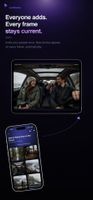
Turns the phones, tablets, and TVs you already own into shared digital media frames, no frame hardware to buy!.
LumiFrame screenshot 1
LumiFrame screenshot 2
+11
LumiFrame screenshot 3

Cost / License

  • Freemium (Subscription)
  • Proprietary

Platforms

  • iPhone
  • iPad
  • Android
  • Android Tablet
  • Online
0likes
0articles

Features

Properties

  1.  Privacy focused
  2.  Support for Themes
  3.  AI-Powered

Features

  1.  Support for @mentions
  2.  Ad-free
  3.  Support for 4K
  4.  Facial Recognition
  5.  End-to-End Encryption
  6.  Works Offline
  7.  Shared Folders
  8.  Dark Mode
  9.  Cloud Sync
  10.  Real time collaboration
  11.  Chromecast Support
  12.  Two-factor Authentication
  13.  Automatic Backup
  14.  Built-in viewer
  15.  Share Videos
  16.  Cloud based
  17.  Team Collaboration

LumiFrame News & Activities

Highlights All activities

Recent activities

LumiFrame information

  • Developed by

    US flagLumiFrame LLC
  • Licensing

    Proprietary and Freemium product.
  • Pricing

    Subscription ranging between $29 and $69 per month + free version with limited functionality.
  • Alternatives

    9 alternatives listed
  • Badge

    Get an embeddable badge for LumiFrame
  • Supported Languages

    • English

AlternativeTo Categories

Social & CommunicationsSecurity & PrivacyVideo & MoviesBackup & SyncFile SharingOffice & ProductivityRemote Work & Education

Apple AppStore

  •   Updated 
  •   5 avg rating
View in AppStore
LumiFrame was added to AlternativeTo by Lumi Dev on and this page was last updated .
No comments or reviews, maybe you want to be first?

Official Links

What is LumiFrame?

The digital photo frame, without the frame.

LumiFrame turns the screens you already own into beautiful, always-current photo and video displays. Set up a tablet on the counter, the TV in the living room, or a screen at your event, and let your favorite media play, automatically.

It is more than a slideshow. Create albums, share them with the people you choose, collect media from event guests, and keep every display in sync from one place.

DISPLAY

  • Elegant slideshows with themes, smooth transitions, and gentle motion
  • Photos and videos, portrait or landscape, sized to look right on each screen
  • An always-current display that updates itself as new media arrive

SHARE

  • Create albums and invite people to view or contribute
  • Everyone sees the latest, across every screen you share
  • Granular controls over who can add and who can view

EVENTS

  • Collect photos from guests with a QR code, no app required for them
  • Show them live on the big screen as the day unfolds
  • Keep them as a shared album long after the event ends

CAST AND MANAGE

  • Cast a living slideshow to supported TVs
  • On paid plans, run several displays at once and drive any of them from any of your devices

PRIVATE BY DEFAULT

  • Your albums stay private unless you choose to share them
  • You decide who can view and who can contribute
  • Comments in shared albums are moderated to keep conversations respectful