Lunar Alternatives

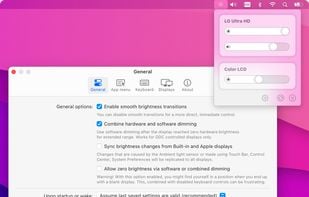
Lunar is described as 'Intelligent adaptive brightness for your external display' and is an app in the system & hardware category. There are more than 10 alternatives to Lunar for a variety of platforms, including Mac, Windows, Linux, openSUSE and Python apps. The best Lunar alternative is Twinkle Tray, which is both free and Open Source. Other great apps like Lunar are MonitorControl, Monitorian, Brightintosh and ddcutil.

Copy a direct link to this comment to your clipboard
Lunar alternatives page was last updated

Alternatives list

  1. Twinkle Tray icon
     44 likes

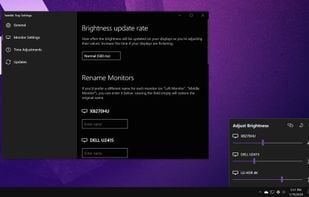
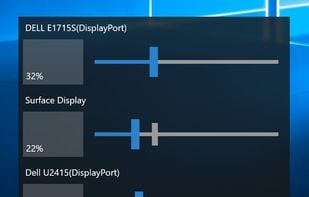
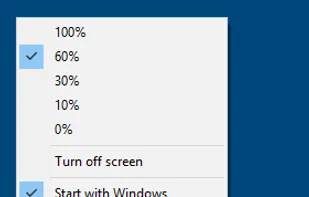
    Twinkle Tray enables brightness control on external displays in Windows 10 & 11. Even th Windows is capable of adjusting the backlight on most monitors, it doesn't support external monitors natively.

    28 Twinkle Tray alternatives

    Cost / License

    • Free
    • Open Source (MIT)

    Application type

    Platforms

    • Windows
     
    • Twinkle Tray is the most popular Windows alternative to Lunar.

    • Twinkle Tray is the most popular Open Source & free alternative to Lunar.

    • Twinkle Tray is Free and Open SourceLunar is Freemium and Proprietary
    • Twinkle Tray is LightweightLunar is not according to our users
  2. MonitorControl icon
     19 likes

    🖥 Control your external monitor brightness & volume on your Mac.

    15 MonitorControl alternatives

    Cost / License

    • Free
    • Open Source (MIT)

    Platforms

    • Mac
     
    • MonitorControl is the most popular Mac alternative to Lunar.

    • MonitorControl is Free and Open SourceLunar is Freemium and Proprietary
  3. Brightintosh icon
     4 likes

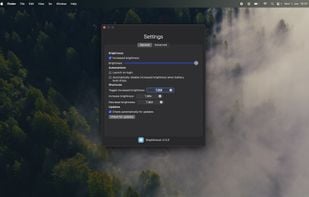
    BrightIntosh is lightweight, works system-wide, has optional launch-at-login functionality and includes a global hotkey to toggle the extra brightness.

    Cost / License

    Application type

    Platforms

    • Mac
     
  4.  2 likes

    Most monitors, other than laptop displays, have a Virtual Control Panel (VCP), which implements features defined in the Montor Control Command Set (MCCS). Typically, ddcutil communicates with the monitor's VCP over an I2C bus, as per the Display Data Channel/Command...

    Cost / License

    Platforms

    • Linux
     
    • ddcutil is the most popular Linux alternative to Lunar.

    • ddcutil is Free and Open SourceLunar is Freemium and Proprietary
  5. DisplayBuddy icon
     2 likes

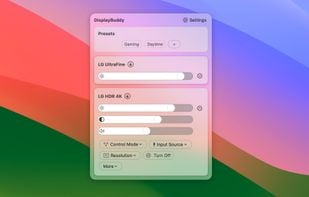
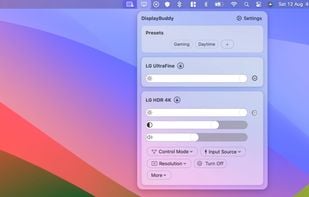
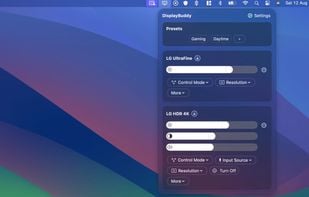
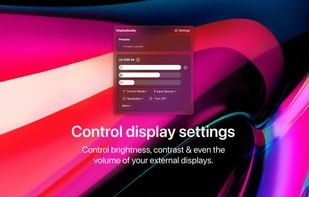
    DisplayBuddy lets you control external displays connected to your Mac right from your menu bar! No need to touch your clunky monitor buttons!

    13 DisplayBuddy alternatives

    Cost / License

    • Pay once
    • Proprietary

    Application type

    Platforms

    • Mac
     
    • DisplayBuddy is the most popular commercial alternative to Lunar.

    • DisplayBuddy is Paid and ProprietaryLunar is Freemium and Proprietary
  6. DDCcontrol icon
     2 likes

    DDCcontrol is software for controlling monitor parameters such as brightness, contrast, and RGB color levels. It includes a command-line tool and a GUI tool.

    Cost / License

    Platforms

    • Linux
    • openSUSE
    • Fedora
    • Ubuntu
    • Debian
     
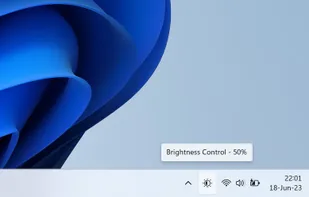
  7. The app lets you control the brightness of all your screens (both laptop and desktop) by a single click on a tray icon. Its look goes nicely with the system icons and it supports both light and dark mode.

    Cost / License

    • Free
    • Open Source (MIT)

    Platforms

    • Windows
     
  8. BetterDisplay icon
     3 likes

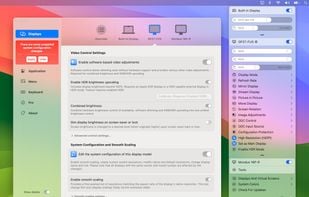
    Unlock your displays on your Mac! Smooth scaling, HiDPI unlock, XDR/HDR extra brightness upscale, DDC, brightness and dimming, virtual screens, PIP and lots more!.

    16 BetterDisplay alternatives

    Cost / License

    • Freemium (Pay once)
    • Proprietary

    Platforms

    • Mac
     
  9. QuickShade icon
     2 likes

    A macOS app to quickly change the brightness of your Mac.

    Cost / License

    • Free
    • Proprietary

    Application type

    Platforms

    • Mac
     
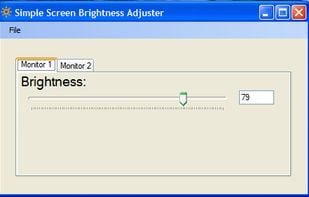
  10. Simple Screen Brightness is a small portable application written in C# that allows you to adjust the brightness for all of your connected monitors using a slider without having to use their difficult-to-use built-in menu systems.

    Cost / License

    • Free
    • Open Source

    Platforms

    • Windows
     
  11. Brisync icon
     3 likes

    Synchronize your external monitor brightness with built-in display. Application reads current brightness of your built-in display and passes it to external monitors via DDC interface. You can adjust brightness by menu in system status bar.

    Cost / License

    • Free
    • Open Source (MIT)

    Platforms

    • Mac
     
12 of 16 Lunar alternatives