Lupas Rename 2000 icon

Lupas Rename 2000

Lupas Rename is a FREEWARE program developed to rename a big number of files.

Here are a few features to help you rename the files:

  • Rename files and folders
  • Rename files in recursive subdirectories
  • Shell Integration (right click on a folder in the explorer to.
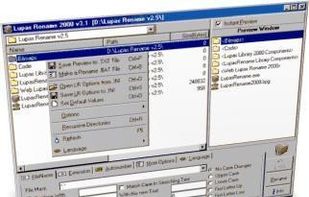
Lupas Rename 2000 screenshot 1

Cost / License

  • Free
  • Proprietary

Application type

Alerts

  • Discontinued

Platforms

  • Windows  Works on all Windows version up to Windows 7
Discontinued

Last version, 5.0, was released on April 2005.

8likes
0articles

Features

  1.  Batch Rename Files
  2.  File Renaming
  3.  Shell integration

Lupas Rename 2000 News & Activities

Highlights All activities

Recent activities

No activities found.

Lupas Rename 2000 information

AlternativeTo Category

File Management
Lupas Rename 2000 was added to AlternativeTo by lupas on and this page was last updated . Lupas Rename 2000 is sometimes referred to as Lupas Rename
No comments or reviews, maybe you want to be first?

Featured in Lists

A list with 33 apps by AntumDeluge without a description.

List by AntumDeluge with 33 apps, updated

A list with 100 apps by AntumDeluge without a description.

List by AntumDeluge with 100 apps, updated

Official Links

What is Lupas Rename 2000?

Lupas Rename is a FREEWARE program developed to rename a big number of files.

Here are a few features to help you rename the files:

  • Rename files and folders
  • Rename files in recursive subdirectories
  • Shell Integration (right click on a folder in the explorer to start LupasRename on these folder)
  • Instant Preview (Optional)
  • Undo the last rename operation
  • Make a Batch file to rename from a DOS Console
  • Make a Batch file for UNDO operation from a DOS Console
  • Save and Load your options into an INI File
  • Filter by any masks: .mp3;.mp2 or ???a*.txt...
  • Load/Edit a Text Files in a Small Editor to help renaming files
  • Sort Ascendent/Descendent by any column (name, path, size...)
  • It display the next columns: o Name o Path o Size o Type o Ext o Creation Date o Modification Date o Accessed Date o Attributes
  • Replace the name by any text
  • Replace a substring by other with Matchcase Optional
  • Crop n Chars (Left and/or Right)
  • Insert any string before and/or after the Filename
  • Convert to Upper Case (filename)
  • Convert to Lower Case (filename)
  • Convert to Upper only the First Letter Of Any Word (filename)
  • Convert to Lower oNLY tHE fIRST lLETTER (filename)
  • Replace the extension by any text
  • Replace a substring by other with Matchcase Optional in Extension
  • Crop n Chars in Extension (Left and/or Right)
  • Insert any string before/after the extension
  • Convert to Upper Case (extension)
  • Convert to Lower Case (extension)
  • Convert to Upper only the First Letter Of Any Word (extension)
  • Convert to Lower oNLY tHE fIRST lLETTER (extension)
  • Remove the accent symbols
  • Support for autorename the Display Comic Reader ex

