
M
M

Markdown Buddy

Native macOS Markdown editor that also renders Markdown files in the Finder and inside Xcode.
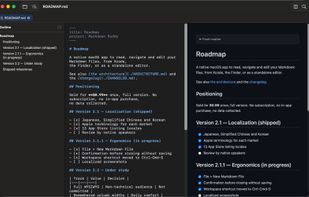
Source and rendered output side by side, with the document outline in the left column.

Cost / License

  • Pay once
  • Proprietary

Platforms

  • Mac
1like
0articles

Features

Properties

  1.  Lightweight

Features

  1.  Support for MarkDown
  2.  Syntax Highlighting
  3.  Full-Text Search
  4. LaTeX icon  Support for LaTeX
  5.  Autocompletion
  6.  Live Preview
  7.  Hierarchical Structure
  8.  Works Offline
  9. Xcode icon  Xcode Integration

Markdown Buddy News & Activities

Highlights All activities

Recent activities

Markdown Buddy information

  • Developed by

    FR flagJan Tumpach
  • Licensing

    Proprietary and Commercial product.
  • Pricing

    One time purchase (perpetual license) ranging between $1 and $5.
  • Alternatives

    10 alternatives listed
  • Badge

    Get an embeddable badge for Markdown Buddy
  • Supported Languages

    • English
    • Chinese
    • French
    • German
    • Italian
    • Japanese
    • Korean
    • Spanish

AlternativeTo Categories

DevelopmentNews & Books
Markdown Buddy was added to AlternativeTo by Jan Tumpach on and this page was last updated .
No comments or reviews, maybe you want to be first?

Official Links

What is Markdown Buddy?

Markdown Buddy is a native macOS Markdown editor built with Swift and AppKit. It offers four view modes, including an editable preview, with formatting shortcuts and find and replace.

What sets it apart is that it renders Markdown outside the app as well. A Quick Look extension shows rendered .md files in the Finder instead of raw text, Finder thumbnails follow, and an Xcode source editor extension opens the file you are editing as rendered output from the Editor menu. All three share the same renderer.

Open a folder as a workspace and it lists every Markdown file in a tree, searches across all of them at once, and draws a graph of the links between documents, flagging the broken ones. Mermaid diagrams, KaTeX math and syntax highlighting are built in.

The app is sandboxed, weighs under 5 MB, works entirely offline and collects nothing. It is available in eight languages and requires macOS 14 or later.

