Many Markdown editors rely on an embedded browser or a large web runtime. That can be useful, but it may also mean slower startup, higher memory usage, and more moving parts for a local writing tool.
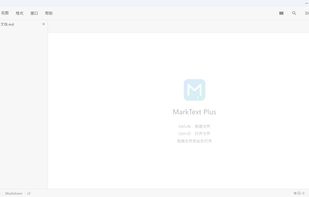
MarkText Plus is an open-source desktop Markdown editor built with Flutter. It is designed to open quickly, stay responsive with larger documents, and keep the writing workflow local. No account or online service is required.
What It Offers
- Source, preview, and split editing modes
- Editing individual Markdown blocks directly from the preview
- Command palette and / insertion menu
- Table row and column editing, alignment, and cleanup
- Find and replace with whole-word and regular-expression modes
- Paste a URL over selected text to create a Markdown link
- 22 Mermaid diagram types rendered in pure Dart, without a WebView
- Inline and block math with KaTeX-compatible rendering
- CommonMark and GFM features including tables, task lists, footnotes, autolinks, and <ruby> annotations
- HTML, PDF, and Word .docx export
- UTF-8, UTF-16, GBK, and Latin-1 file handling where detected
- External file-change detection and atomic saving
- Eight built-in themes and twelve interface languages
- Windows, macOS, and Linux support
Why I Built It
I wanted a Markdown editor that felt immediate on the desktop without depending on an embedded browser. The parser, renderer, syntax highlighting, and Mermaid drawing are part of the Flutter application. Mermaid diagrams can be rendered as images for PDF and Word export, and documents remain ordinary local files.
The project is intentionally focused on a small, dependable workflow rather than becoming a general-purpose web application. Startup time, memory use, large-document behavior, and export correctness are treated as engineering constraints.
What I Would Like Feedback On
- Markdown compatibility with real-world documents
- Mermaid syntax that users expect but the current renderer does not support
- Large-document editing and preview performance
- Export fidelity for tables, nested lists, images, and diagrams
- Which workflow feels most natural: source-first, preview-first, or split editing







 Sugar-Fat-Free added MarkText Plus as alternative to MarkText