

Mercek icon
Mercek icon

Mercek

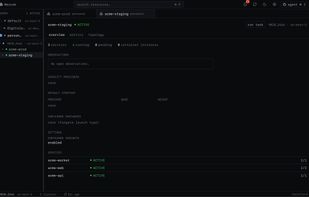
Mercek is a desktop app for Amazon ECS. It uses the AWS credentials already on your machine and shows your services across every account and region. It's read-only until you approve a change, and it talks to AWS directly, with no server in between and no telemetry.
Mercek screenshot 1

Cost / License

  • Free
  • Open Source (MIT)

Platforms

  • Mac
  • Linux
0likes
0comments
0articles

Features

Properties

  1.  Privacy focused
  2.  Local-First

Features

  1.  No registration required
  2.  Dark Mode
  3.  Ad-free
  4.  Works Offline
  5.  No Tracking
  6.  Multiple Account support
  7.  Single Sign-On
  8.  Command palette
  9.  Support for Keyboard Shortcuts
  10.  Multi-Factor Authentication (MFA)
  11.  AWS Integration

Mercek News & Activities

Highlights All activities

Recent activities

Mercek information

  • Developed by

    NG flagUtibeabasi Umanah
  • Licensing

    Open Source (MIT) and Free product.
  • Written in

  • Alternatives

    2 alternatives listed
  • Supported Languages

    • English

AlternativeTo Category

Development

GitHub repository

  •  73 Stars
  •  1 Forks
  •  4 Open Issues
  •   Updated  
View on GitHub
Mercek was added to AlternativeTo by Paul on and this page was last updated .
No comments or reviews, maybe you want to be first?

What is Mercek?

Mercek is a desktop app for Amazon ECS. It uses the AWS credentials already on your machine and shows your services across every account and region. It's read-only until you approve a change, and it talks to AWS directly, with no server in between and no telemetry.

Why?

The AWS console is slow for everyday ECS work, and it's hard to see across accounts. Mercek puts your services in one window so you can check rollouts, metrics, logs, cost, and dependencies without switching tabs and accounts.

Features:

  • Multi-account, multi-region discovery from your ~/.aws profiles (SSO, assume-role, MFA, static keys), with opt-in per-profile scopes.
  • Multi-cluster overview — a home view with service health (failed / degraded / deploying / healthy) across every active scope, and a "needs attention" list.
  • Service / cluster / task detail — deployments, events, tasks, target health, autoscaling, metrics, right-sizing, environment, networking, containers.
  • Deployments & rollback — live rollout state, circuit-breaker status, one-click rollback, a per-service deployment timeline, one-step image deploys, and cross-environment / cross-region comparison.
  • Create & manage — create clusters, services, and task definitions (from scratch), run one-off tasks, and delete / deregister them — every write behind a diff or confirmation, with VPC / subnets / security groups picked from menus, not typed.
  • Logs — CloudWatch log tail in a bottom drawer, across every task of a service or just one, with a text filter, level highlighting, and copy / download.
  • ECS Exec — an interactive shell into a running container, with a one-click path to enable execute-command on a service that doesn't have it yet.
  • Metrics & cost — CPU / memory / ALB via Container Insights with an AWS/ECS fallback; a selectable 1h–7d window with deploys marked on the charts; a Fargate cost estimate and a right-sizing verdict from real peaks.
  • Topology map — internet ? target group ? service, plus dependency edges inferred from task-definition environment variables.
  • Sentinel — a background watcher that flags drift, stalled deploys, flapping tasks, OOM kills, and image vulnerabilities.
  • Image security — ECR vulnerability-scan severity per service image.
  • Agent panel — connect your own coding agent (e.g. Claude Code) over the Agent Client Protocol. It's read-only to AWS; any change it proposes opens a diff-and-confirm dialog plus the equivalent AWS CLI command.
  • Open in AWS console — jump to any cluster, service, or task in the AWS console.
  • Stays current — in-app auto-update checks for new releases and updates in one click.
  • Keyboard-driven — a ?K command palette and bindings throughout.

Official Links