




Niagara Launcher
18 likes
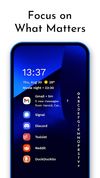
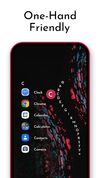
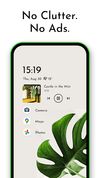
Minimal launcher with ergonomic single-hand design, scrollable app list, direct notification reply support, automatic music controls, dynamic wallpaper-based theming, dark and light modes, icon customization, bloatware hiding, fluid UI, and active updates.


+3

Cost / License
- Freemium (Pay once)
- Proprietary
Application type
 EU
EUPlatforms
- Android

Features
Niagara Launcher News & Activities
Highlights All activities
Recent News
- Danilo_Venom published news article about Lawnicons
 Lawnchair releases LawnIcons v2 as a standalone icon pack, available for other custom launchers too
Lawnchair, the popular custom launcher for Android, has recently released LawnIcons 2.0. The update...

Recent activities
 Sola_launcher added Niagara Launcher as alternative to Sola Launcher
 focuscometapp added Niagara Launcher as alternative to FocusComet
 c17s5qhu added Niagara Launcher as alternative to Cyclauncher
 NoceboLauncher added Niagara Launcher as alternative to Nocebo Launcher
 spadelauncher added Niagara Launcher as alternative to Spade Launcher
 duoweb added Niagara Launcher as alternative to DUOWEB Simple Launcher
 Alaik added Niagara Launcher as alternative to Be nice
 VectorLibre added Niagara Launcher as alternative to VL Launcher
 justarandom added Niagara Launcher as alternative to Arc Launcher (AndroidTV)
 justarandom added Niagara Launcher as alternative to iOS Launcher 26 - iLauncher


Featured in Lists

Everytime I setup a phone for a friend or myself I usually remove stock apps using adb or...
List by Darlene Sonalder with 140 apps, updated

Digital minimalism means keeping the technology that serves you and quieting the rest. These tools strip the noise...
List by Narro with 6 apps, updated

What is Niagara Launcher?
Niagara Launcher Videos
Niagara Launcher information
Developed by
 Peter Huber
 Licensing
Proprietary and Freemium product.Pricing
One time purchase (perpetual license) ranging between $3 and $10 + free version with limited functionality.Rating
Average rating of 4.2Alternatives
91 alternatives listedBadge
Get an embeddable badge for Niagara LauncherSupported Languages


Comments and Reviews
The best proprietary launcher on Android. The animations are BUTTERY SMOOTH and I appreciate the overall concept it provides. The only downside is that some necessary features are behind a paywall, though not an expensive one.
Great launcher with well-thought out features. Minimal look while still being more usable than any other minimal launchers. Deserves your money
Amazingly easy to use, lightweight and it is an actual alternative not just another app grid
Unable to create folders or categories on the app list is something I can't live without so I had to stop using this a few hours after installing it. You can create folders, but that seems to appear on the main screen which I don't want.
You can't swipe up to open the app menu, and nor can you change the direction of the apps on the front page to left or right which I would prefer rather than scrolling down. It would also allow swiping up for the apps menu.
Overall, it seems decent, but just doesn't work for me.
That's not even true, looks like you need to take a look again. You can create folders anywhere. The point of an alphabetical drawer is to go from top to bottom. You don't swipe.
Simple, nice-looking launcher with really fast access to any application, can be easily used with one hand (right or left - doesn't matter).