Features:
non-custodial store for your keys
can store many keys
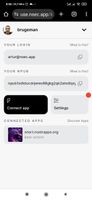
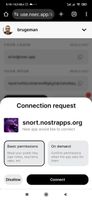
provides nip46 access to apps
permission management for connected apps
works in any browser or platform
background operation even if app tab is closed
cloud e2ee sync for your keys
support for OAuth-like signin flow
How it works
This is a web-based nostr signer app, it uses nip46 signer running inside a service worker, if SW is not running - a noauthd server sends a push message and wakes SW up. Also, keys can be saved to server and fetched later in an end-to-end encrypted way. Keys are encrypted with user-defined password, a good key derivation function is used to resist brute force.
It works across devices, but that's unreliable, especially if signer is on mobile - if your phone is locked then service worker might not wake up. Thanks to cloud sync/recovery of keys users can import their keys into this app on every device and then it works well.
How to self-host
This app is non-custodial, so there isn't much need for self-hosting. However, if you'd like to run your own version of it, here is how to do it:
Create web push keys (https://github.com/web-push-libs/web-push):
npm install web-push;
web-push generate-vapid-keys --json
Edit .end in noauth:
REACT_APP_WEB_PUSH_PUBKEY=web push public key,
REACT_APP_NOAUTHD_URL=address of the noauthd server (see below)
REACT_APP_DOMAIN=domain name of your bunker (i.e. nsec.app)
REACT_APP_RELAY=relay that you'll use, can use wss://relay.nsec.app - don't use public general-purpose relays, you'll hit rate limits very fast
Then do:
npm install;
npm run build;
The app is in the build folder.
To run the noauthd server (https://github.com/nostrband/noauthd), edit .env in noauthd:
PUSH_PUBKEY=web push public key, same as above
PUSH_SECRET=web push private key that you generated above
ORIGIN=address of the server itself, like http://localhost:8000
DATABASE_URL="file:./prod.db"
BUNKER_NSEC=nsec of the bunker (needed for create_account methods)
BUNKER_RELAY="wss://relay.nsec.app" - same as above
BUNKER_DOMAIN="nsec.app" - same as above
BUNKER_ORIGIN=where noauth is hosted
Then init the database and launch:
npx prisma migrate deploy
node -r dotenv/config src/index.js dotenv_config_path=.env
Running Hosted Version with Docker
To run the hosted version of the project using Docker Compose, follow these steps:
Build and run the Docker containers:
Ensure you are in the root directory of project and then run:
docker-compose up --build -d
Adjust SERVER_APP_ORIGIN in packages/server/.env if you want auth url that are sent to apps to be accessible on other devices.
Access the application:
Open your browser and navigate to http://localhost:3000 to access the hosted version of the project.








 justarandom added noauth as alternative to nos2x-fox, Nostr Connect, nos2x and Amber Nostr Event Signer


