


NoMachine
118 likes
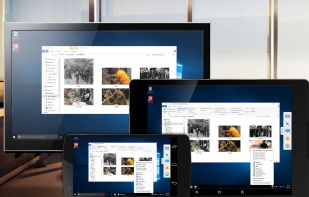
Access remote computers easily with enterprise-class speed and features supporting any content including audio and video.

Cost / License
- Subscription
- Proprietary
Application type
 EU
EUPlatforms
- Mac
- Windows
- Linux
- Android
- iPhone
- Android Tablet
- iPad
- Raspberry Pi


Features
NoMachine News & Activities
Highlights All activities
Recent News
No news, maybe you know any news worth sharing?
Share a News TipRecent activities
- vexaro_llc liked NoMachine
- POX updated NoMachine
- updated NoMachine
 Gia-Bursulaia added NoMachine as alternative to BURSU Connection Manager
 tsoftbala added NoMachine as alternative to Rednote Mirror


Featured in Lists

My favorite proprietary, open-source or freeware tools for remote desktop (remote access and remote control): - Modern...
List by RemovedUser with 11 apps, updated

A list with 139 apps by boniaditya without a description.
List by boniaditya with 139 apps, updated
Remote access tools that can run on infrastructure you control, rather than only through a vendor's cloud. Useful...
List by vexaro_llc with 8 apps, updated


What is NoMachine?
NoMachine information
Developed by
 NoMachine S.à r.l.
 Licensing
Proprietary and Commercial product.Pricing
Subscription ranging between $10 and $291 per month.Rating
Average rating of 3.5Alternatives
142 alternatives listedBadge
Get an embeddable badge for NoMachineSupported Languages
AlternativeTo Categories
Network & Admin, OS & Utilities, System & Hardware, Remote Work & Education, Video & MoviesApple AppStore
- Updated
- 2.98 avg rating


Comments and Reviews
Has been working reliably for me using it across Win/Mac/Linux platforms.
Upon uninstallation crashed into blue screen and Windows didn't seem to load afterwards. Had to go through the automatic repair thing. As to why I uninstalled, it doesn't allow setting password. Instead, you're required to set password for your Windows account and log in like you would in Remote Desktop. Unaccaptable for me. Giving it 2 stars instead of 1 as a benefit of doubt.
It's a high quality alternative to overly expensive Teamviewer.
The best solution i found for connect from Linux to Mac in local network(without need internet). I tried Anydesk, TeamViewer, Chrome Remote Desktop, VNC(Remmina, Tigervnc, Tightvnc, Ultravnc).
Very fast, high quality, out the box, local network, all keyboard button works.
Thanks for the feedback, I'm using it as a replacement to Teamviewer. I recommend you to try Zerotier (p2p VPN: gratis service, open source multi-platform client) for remote support.
Easy to setup and combined with Zerotier as alternative to Teamviewer.
Free for personal use but not opensource, slightly slower than Parsec and much lower quality but acceptable (it gets better with FPS 60 and codec H264 instead of by default 30 fps VP8), but requires to be in the same LAN, although computers are autodetected so it's easy, OR specify IP address over internet, so it's not like TeamViewer. Client cannot connect from web browser, it's only through a desktop app.
It's responsive over high latency networks, enough to be able to edit video apps. I tried Anydesk to do the same, I wasn't satisfied.
Looking at the other comments, I don't understand some of the complaints. It worked out of th e box for me, doesn't crash, and I'm able to file transfer, forward UBS media devices both ways which is essential for me.
One person complained of having to set a password - having to set a password is a small thing to do, if you want to keep your desktop safe.