Norton Password Manager Alternatives

Norton Password Manager is described as 'Want a free, powerful password manager? Norton Password Manager is a single solution to help manage your unique passwords in multiple ways. Memorizing complex passwords with symbols, numbers, capital letters, and more, is difficult but using strong passwords is important to help' and is a password manager in the security & privacy category. There are more than 50 alternatives to Norton Password Manager for a variety of platforms, including Android, Mac, Windows, iPhone and Google Chrome apps. The best Norton Password Manager alternative is Bitwarden, which is both free and Open Source. Other great apps like Norton Password Manager are KeePassXC, KeePass, Proton Pass and LastPass.

Copy a direct link to this comment to your clipboard
Norton Password Manager alternatives page was last updated

Alternatives list

  1. SafeNotes icon
     4 likes

    SafeNotes is easy-to-use, powerful, multipurpose encryption application. Can securely store your private notes, passwords, card pins and other private data and photos with strongest crypto-algorithms.

    Cost / License

    • Free Personal
    • Proprietary

    Platforms

    • Windows
     
  2. pCloud Pass icon
     1 like

    pCloud Pass helps you keep your passwords and gives you Instant SECURE access to them on all your devices. Log in to sites and fill forms with a single click.

    Cost / License

    • Freemium
    • Proprietary

    Application type

    Platforms

    • Mac
    • Windows
    • Online
    • Android
    • iPhone
    • Microsoft Edge
    • Google Chrome
    • Brave
    • Mozilla Firefox
    • Linux
     
  3. Uniqkey icon
     2 likes

    Uniqkey is Europe’s leading password and access manager. It simplifies employee security while empowering companies with enhanced control over their cloud infrastructure, access security, and employee management.

    Cost / License

    • Paid
    • Proprietary

    Platforms

    • Mac
    • Windows
    • Online
    • Android
    • iPhone
    • iPad
    • Microsoft Edge
    • Google Chrome
    • Safari
    • Software as a Service (SaaS)
    • Mozilla Firefox
     
  4. heylogin icon
     3 likes

    heylogin is the first password manager with full hardware-based end-to-end encryption. 2-factor secure by default, developed and hosted in Germany.

    Cost / License

    • Freemium
    • Proprietary

    Application type

    Platforms

    • Online
    • Android
    • iPhone
    • iPad
    • Microsoft Edge
    • Google Chrome
    • Safari
    • Mozilla Firefox
     
  5. Cyqur icon
     3 likes

    Cyqur is a password manager.

    Cost / License

    • Paid
    • Proprietary

    Application type

    Platforms

    • Online
    • Google Chrome
    • Software as a Service (SaaS)
     
  6. C2 Password icon
     2 likes

    C2 Password is a highly secure password management solution to store, sync, and safeguard your passwords and personal information. With unlimited device syncing, you will be able to access your credentials from anywhere through the web portal, browser extension, or mobile app.

    52 C2 Password alternatives

    Cost / License

    • Free Personal
    • Proprietary

    Application type

    Platforms

    • Mac
    • iPhone
    • iPad
    • Android
    • Online
    • Android Tablet
    • Google Chrome
    • Mozilla Firefox
    • Safari
    • Microsoft Edge
     
  7. Bitdefender SecurePass keeps your sensitive information completely secret and simplifies your digital life by memorising hundreds of passwords for you. Easily manage your logins with the help of a single master password.

    Cost / License

    • Paid
    • Proprietary

    Application type

    Platforms

    • Mac
    • Windows
    • Android
    • iPhone
    • Microsoft Edge
    • Google Chrome
    • Mozilla Firefox
     
  8. Passwarden icon
     8 likes

    Protects sensitive data using AES-256 and ECC p-384 encryption, offers biometric and two-factor authentication, generates strong passwords, auto-fills credentials, supports unlimited devices, enables data migration from other managers, and syncs data securely.

    Cost / License

    • Freemium
    • Proprietary

    Application type

    Platforms

    • Mac
    • Windows
    • Online
    • Android
    • iPhone
    • Chrome OS
    • Android Tablet
    • iPad
    • Microsoft Edge
    • Google Chrome
    • Mozilla Firefox
     
  9. Create strong, secure passwords instantly with our free online password generator. Customize length and character types for maximum security.

    Cost / License

    • Free
    • Proprietary

    Application type

    Platforms

    • Online
     
  10. Secret Server icon
     25 likes

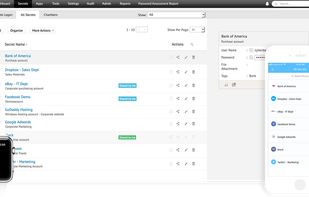
    Secret Server is designed for IT administrator teams to manage their passwords. Stop using KeePass - rather use an enterprise application designed for Active Directory integration and automatic changing of passwords on servers, workstations, routers and more.

    Cost / License

    • Paid
    • Proprietary

    Application type

    Platforms

    • Windows
    • Online
    • Self-Hosted
     
  11. With PassSecurium™ you can access your password vault, and manage passwords securely and conveniently. Besides standard functions (create / view / edit / delete passwords) PassSecurium™ offers an integrated password generator with selectable complexity.

    Cost / License

    • Freemium
    • Proprietary

    Application type

    Platforms

    • iPhone
    • iPad
    • Android
    • Microsoft Edge
    • Google Chrome
    • Mozilla Firefox
    • Mac
    • Windows
    • Linux
     
  12. Offers secure password management with AES encryption, zero-knowledge protocol, two-factor authentication, biometric options, unique password generation, breach alerts, remote logout, browsing history deletion, and bank card storage for safe online checkouts.

    Cost / License

    • Paid
    • Proprietary

    Application type

    Platforms

    • Online
    • Android
    • iPhone
    • Android Tablet
    • iPad
    • Microsoft Edge
    • Google Chrome
    • Safari
    • Opera
     
You are at page 5 of Norton Password Manager alternatives