




Note Shuttle
1 like
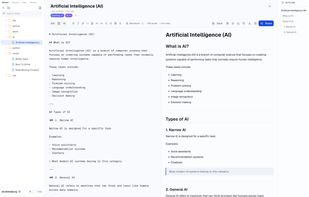
Write Markdown, publish with one click. Time-limited burn-after-reading or permanently accessible links, with optional encryption — lightweight, secure, controllable.

Cost / License
- Freemium (Subscription)
- Proprietary
Platforms
- Online
- Software as a Service (SaaS)
Add Alternatives


Note Shuttle
1 like
1like
0alternatives
0articles
Features

Note Shuttle News & Activities
Highlights All activities
Recent activities
 king_AI added Note Shuttle as alternative to Simplenote and Joplin
It makes it easy to share articles with others.
- king_AI added Calendar View as a feature to Note Shuttle
- king_AI added Team Collaboration as a feature to Note Shuttle
- king_AI added Support for LaTeX as a feature to Note Shuttle
- king_AI added Encrypted Backup as a feature to Note Shuttle
- king_AI added Two-factor Authentication as a feature to Note Shuttle
- king_AI added Distraction-free as a feature to Note Shuttle
- king_AI added Spell Checking as a feature to Note Shuttle
- king_AI added Goal Tracking as a feature to Note Shuttle
Comments and Reviews
It makes it easy to share articles with others.