




Notebooks
33 likes
Extensive platform with Markdown editing, document linking, format conversion, task management, and focus-enhancing layout options. Supports Wiki and Zettelkasten functions.

Cost / License
- Pay once
- Proprietary
Application typeApplication types
 EU
EUPlatforms
- Mac
- Windows
- iPhone
- iPad


Features
Notebooks News & Activities
Highlights All activities
Recent activities
 justarandom added Notebooks as alternative to FireflyNotes
 justarandom added Notebooks as alternative to Jotter (Notes)
- eluzja liked Notebooks


Featured in Lists

Free, Free, Freemium and Commercial Windows, Web, Self Hosted and Chrome
List by rikasfontwitter with 60 apps, updated

A list with 807 apps by AmileyaRyver without a description.
List by AmileyaRyver with 807 apps, updated

A list with 45 apps by nmg00 without a description.
List by nmg00 with 45 apps, updated


What is Notebooks?
Notebooks information
Developed by
 Alfons Schmid
 Licensing
Proprietary and Commercial product.Pricing
One time purchase (perpetual license) ranging between $14 and $40.Rating
Average rating of 4.3Alternatives
93 alternatives listedBadge
Get an embeddable badge for NotebooksSupported Languages
AlternativeTo Categories
Office & Productivity, Backup & SyncApple AppStore
- Updated
- 4.73 avg rating


Comments and Reviews
Notebooks is an app that manages writing on Mac OS, Windows and iOS. It uses a tree listing for managing documents and groups of documents which it calls books. Voice memos, sketches, photos and videos can also be created and managed in the app. Books can be displayed as groups of documents or task lists and even be assigned alerts. Documents can also be tagged and color coded.
One of the nice points about Notebooks is that it allows local and networked options for syncing files apart from the big data options almost everything else solely connects with. In addition, Notebooks documents are sync'ed in a plain file and directory structure so that they can be accessed to an extent without the app.
A number of features included in the program are characteristic of some of the focused writing apps along with some very nice tricks combining documents and displaying documents side by side.
Notebooks allows basic text formatting and markdown use, however it is by no means for page layout. Good for managing multi-section texts, assembling ebooks, and anything focusing more on content. See the LearningWilds website for more https://learningwilds.net/learnd/node/137
Looks promising but the Windows app does not support high DPI screens as of May 2, 2020. Will check back.
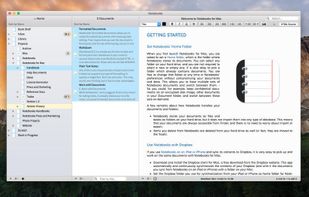
Notebooks is simple, easy to use, and reliable. I've personally used it for years without much of an issue. The one or two times that there was a small glitch (no data was lost), the developer responded very quickly to my e-mails and helped me to troubleshoot the issue. The software can be used for plain text, which makes it largely distraction-free. You can set the theme and font yourself. There is a 3-pane interface, one for notebooks, one for pages in those notebooks, and one for a page being viewed or edited. I truly wish they had a piece of software like this for Linux and Windows. I've never been as productive as when I'm using this simple, reliable, distraction-free piece of software.
With Apple's Notes lack of native versions for Windows and Android, this is the only option that has similar functionality and is cross-platform ( sync via Dropbox)
This is the best app hands down for notes. For starters it does not save the files in the app it is a directory navigator and saves the files as a file so using the app is really just navigating folders. My only wish is that it worked on Linux but then again it saves files not a file so I can just navigate it through the directories. It has Markdown, formatted(rtf) and text files that you can edit in the app but you can save most common files straight tp the directories and they are added automatically. This app is not really comparable to Evernote or any of those apps because it is so much better. Yes it does the same thing but it is like comparing a Chevy to a Lamborghini.