Obscura Photo Vault icon

Obscura Photo Vault

Offline, encrypted photo and video vault for iPhone with AES-256-GCM, Face ID unlock, hidden decoy vaults and a calculator disguise. No account, no cloud, no telemetry.

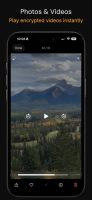
Obscura Photo Vault screenshot 1
Obscura Photo Vault screenshot 2
+16
Obscura Photo Vault screenshot 3

Cost / License

  • Freemium (Pay once or Subscription)
  • Proprietary

Application type

Platforms

  • iPhone
1like
0articles

Features

Properties

  1.  Privacy focused
  2.  Lightweight

Features

  1.  Encrypted Backup
  2.  Works Offline
  3.  No registration required
  4.  AES-256 Encryption
  5.  No Coding Required
  6.  Dark Mode
  7.  No Tracking
  8.  No Logs
  9.  Ad-free
  10.  Photo vault

Obscura Photo Vault News & Activities

Highlights All activities

Recent activities

Obscura Photo Vault information

  • Developed by

    CA flagOrlio Inc
  • Licensing

    Proprietary and Freemium product.
  • Pricing

    One time purchase that costs $40, and / or subscription ranging between $3 and $7 per month + free version with limited functionality.
  • Alternatives

    12 alternatives listed
  • Badge

    Get an embeddable badge for Obscura Photo Vault
  • Supported Languages

    • English
    • German
    • Spanish

AlternativeTo Categories

Security & PrivacyPhotos & GraphicsBackup & Sync

Apple AppStore

  •   Updated 
  •   4.11 avg rating
View in AppStore
Obscura Photo Vault was added to AlternativeTo by andrew- on and this page was last updated .
No comments or reviews, maybe you want to be first?

Official Links

What is Obscura Photo Vault?

Obscura Photo Vault hides your photos and videos behind real encryption, entirely on your iPhone. No accounts, no cloud, no analytics, no internet connection required. If you forget your password there is no reset and no recovery, by design. The full specification and threat model are published at obscura-vault.com/security.

FEATURES

• AES-256-GCM encryption on all photos, videos and databases • 600,000 rounds of PBKDF2 key derivation • Hidden Vaults: 10 encrypted slots always on disk, unused ones indistinguishable from real ones • Decoy vault you can unlock when someone asks to see your photos • Calculator Mode: the app disguises itself as a working calculator • Face ID and Touch ID unlock via Secure Enclave • Auto-lock and progressive rate limiting • Folder passwords for a second encryption layer • Videos decrypted in memory, never written to disk unencrypted • Photo editing: crop, rotate, flip, adjustments, filters, redaction • Metadata removal • Collage creator • Duplicate photo detection • Live Photo frame extraction • Favorites, tags, drag to reorder, date sorting • Recently Deleted • Encrypted .obscura export and import for backup and transfer between iPhones • Automatic local snapshot backups • Zero data collection, no tracking SDKs.

PRICING

Free: up to 50 photos in one vault, including Calculator Mode, folder passwords and encrypted export. Pro removes the photo and vault limits, as a monthly or yearly subscription or a one-time lifetime purchase. If a subscription ends, everything already in the vault stays viewable and exportable.