

OrganizeShots icon
OrganizeShots icon

OrganizeShots

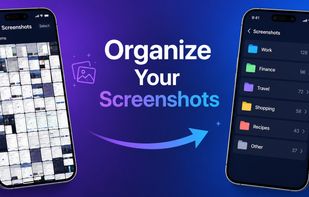
Free browser tool that auto-sorts your screenshots into smart folders — no upload, no login.
OrganizeShots screenshot 1

Cost / License

  • Free
  • Proprietary

Platforms

  • Online  100% browser-based tool, runs locally in the browser. No uploads or login required
OrganizeShots screenshot 1
OrganizeShots screenshot 2
+1
OrganizeShots screenshot 3
0likes
0comments
0alternatives
0articles

Features

Properties

  1.  Privacy focused

Features

  1.  OCR

OrganizeShots News & Activities

Highlights All activities

Recent activities

OrganizeShots information

  • Developed by

    Unknown
  • Licensing

    Proprietary and Free product.
  • Alternatives

    0 alternatives listed
  • Supported Languages

    • English

AlternativeTo Categories

Office & ProductivityPhotos & Graphics
OrganizeShots was added to AlternativeTo by Bilal Official on and this page was last updated .
No comments or reviews, maybe you want to be first?

What is OrganizeShots?

OrganizeShots is a free browser-based screenshot organizer. Just drag and drop up to 100 screenshots and it automatically sorts them into 10 smart folders — OTP, Payments, WhatsApp, Social Media, Documents, Photos, Memes, Study Notes, Duplicates & more.

Features:

  • Auto-sorts into 10 smart folders
  • OCR reads text inside screenshots
  • SHA-256 duplicate detection
  • ZIP download
  • Works on Android, iPhone, Windows, Mac
  • 100% browser-based — nothing uploaded
  • Free forever — no account needed