PDFescape is described as 'Is your free, online PDF reader, editor, form filler, & form designer. Without required downloads or installations! Without watermarks! Without required registration!' and is a PDF Reader in the office & productivity category. There are more than 50 alternatives to PDFescape for a variety of platforms, including Windows, Web-based, Mac, Android and Linux apps. The best PDFescape alternative is PDF-XChange Editor, which is free. Other great apps like PDFescape are PDF24 Creator, Adobe Acrobat DC, PDFCreator and Master PDF Editor.


Open-source PDF viewer and editor using Qt framework, featuring hardware-accelerated rendering, encryption, multithreading, text-to-speech, annotation tools, form filling, high-res monitor support, document compression, audio book conversion, and signature validation.


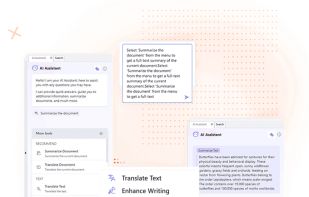
Edit, annotate, and convert PDFs with OCR capabilities, AI-assisted tools for summaries and translations. It supports file protection and offers 2GB of cloud storage for secure management.


With PDFill you can create, fill, delete and submit PDF form fields; insert new formatted text, check, image, hyperlink, whiteout, highlight, drawing, comment and annotation anywhere in the document; save, print or email the filled and password-protected PDF; save and resume...


PDF Candy is an online PDF toolset of 47 services for successful processing of PDF files. The service is free for single-file operations and does not require an account. A desktop application is also offered,


The simplest PDF viewer. Safe (doesn't require permissions), lightweight (just 6,9MB) and modern.

Looking for methods to edit, merge,split,convert,rotate,annotate and other related manipulate on PDF? SwifDoo PDF will match your needs and handle most of your PDF-related jobs.


AI powered productivity tool for reading, understanding and taking notes on PDFs and long websites. Users can search, summarise, extract and define keywords, ask google-search type questions and be taken straight to the answers.


Edit, fill, annotate, and sign PDFs online, merge documents, request signatures, upload from cloud storage, save locally, share for collaboration, and track workflow with auditing, supporting various file types and mobile access for document management.


The basic service that aims to help you work better and faster with PDF files, so you can get on with the important things.


Edit your PDF files quickly and intuitively. Open, edit, save or convert PDF files with PDFTool – it’s up to you.


Been using this for years. Not great but good enough for me.