




Phiola
12 likes
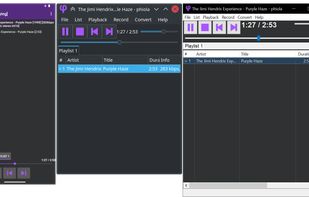
phiola is a fast audio player, recorder, converter for Windows, Linux & Android. Its low CPU consumption conserves the notebook/phone battery. You can issue commands to phiola via its CLI, TUI, GUI, system pipe and SDK interfaces.

Cost / License
- Free
- Open Source (BSD-2-Clause)
Application type
Platforms
- Windows
- Linux
- Android
- F-Droid

Features
Phiola News & Activities
Highlights All activities
Recent News
No news, maybe you know any news worth sharing?
Share a News TipRecent activities
- meowmiau liked Phiola
 POX added Phiola as alternative to Redemption
 Dalieba added Phiola as alternative to MediaPlayerOK
 justarandom added Phiola as alternative to Felicity Music Player
 POX added Phiola as alternative to Tunebar Music
 POX added Phiola as alternative to Light Crime
 justarandom added Phiola as alternative to tui – Music Player


Phiola information
Developed by
 Simon Zolin
 Licensing
Open Source (BSD-2-Clause) and Free product.Written in
Alternatives
90 alternatives listedBadge
Get an embeddable badge for PhiolaSupported Languages

AlternativeTo Category
Audio & MusicGitHub repository
- 254 Stars
- 14 Forks
- 17 Open Issues
- Updated


No comments or reviews, maybe you want to be first?