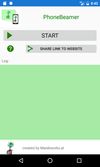
PhoneBeamer icon
PhoneBeamer icon

PhoneBeamer

With PhoneBeamer you can present your phones screen in a browser simply by scanning a QR Code on the website https://phonebeamer.marekworks.at. And your phones-screen doesn't get published to the whole internet - just in your local network.
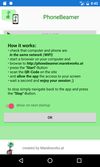
PhoneBeamer screenshot 1
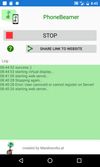
PhoneBeamer screenshot 2
PhoneBeamer screenshot 3

Cost / License

  • Freemium (Pay once)
  • Proprietary

Platforms

  • Android  5.0+
  • Android Tablet  5.0+
3likes
0articles

Features

  1.  Screen Sharing

PhoneBeamer News & Activities

Highlights All activities

Recent activities

No activities found.

PhoneBeamer information

  • Developed by

    AT flagMarekworks.at - Stefan M. Marek
  • Licensing

    Proprietary and Freemium product.
  • Pricing

    One time purchase (perpetual license) + free version with limited functionality.
  • Alternatives

    2 alternatives listed
  • Badge

    Get an embeddable badge for PhoneBeamer
  • Supported Languages

    • English
PhoneBeamer was added to AlternativeTo by stefanmmarek on and this page was last updated .
No comments or reviews, maybe you want to be first?

Official Links

What is PhoneBeamer?

With PhoneBeamer you can present your phones screen in a browser simply by scanning a QR Code on the website http://phonebeamer.marekworks.at.

And your phones-screen doesn't get published to the whole internet - just in your local network, because the internet-website is only a broker between your local browser and your phone.

Your phone and your browser only needs to be in the same network - like the same wifi.

How it works:

  • check that computer and phone are in the same network
  • start a browser on your computer
  • browse to http://phonebeamer.marekworks.at
  • press the "Start"-Button and then scan the QR-Code on the site and allow the app the access to your screen
  • wait a second now your Screen is mirrored in your browser.
  • and enjoy your session ;) To stop simply navigate back to the app and press the "Stop"-Button.

Then you can watch the screen on your own or present it to others via Skype, WebEx, or more using a traditional video projector. On the website, you can switch to full-screen-mode and even download screenshots. You can use it in nearly Browser on a PC, Mac, Tablet or even another smartphone. We always test with Chrome and Mozilla. Users reported it even works in Internet Explorer, but there seems to be an issue with Microsoft Edge.