

PinPane icon
PinPane icon

PinPane

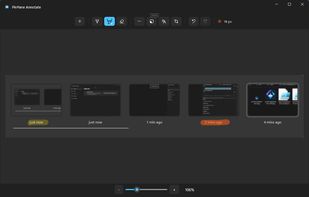
PinPane is a Windows screenshot tool built for captures you still need after taking them. Take a region, window, or full-display capture with familiar Print Screen shortcuts, then pin it as a floating reference image that stays above all other windows.
PinPane screenshot 1

Cost / License

  • Pay once
  • Proprietary

Application type

Platforms

  • Windows
0likes
0comments
0articles

Features

Properties

  1.  Lightweight
  2.  Privacy focused

Features

  1.  Ad-free
  2.  Support for Multiple Monitors
  3.  No Coding Required
  4.  Works Offline
  5.  No registration required
  6.  Annotate Screenshot
  7.  No Tracking
  8.  Floating windows

PinPane News & Activities

Highlights All activities

Recent activities

PinPane information

  • Developed by

    Rui Almeida
  • Licensing

    Proprietary and Commercial product.
  • Pricing

    One time purchase (perpetual license) ranging between $5 and $6.
  • Alternatives

    4 alternatives listed
  • Supported Languages

    • English
PinPane was added to AlternativeTo by ruia on and this page was last updated .
No comments or reviews, maybe you want to be first?

What is PinPane?

PinPane is a Windows screenshot tool built for captures you still need after taking them. Take a region, window, or full-display capture with familiar Print Screen shortcuts, then pin it as a floating reference image that stays above all other windows.

Unlike tools that just save or copy screenshots, PinPane keeps the capture visible while you work — so you can follow instructions, compare designs, enter data from a reference, or annotate and report a bug without switching windows.

Features:

Pin screenshots always on top as floating windows Annotate with pen, highlighter, shapes, and text Copy, save, or drag captures into chats, documents, and tickets Print Screen shortcut support No account, no subscription — one-time purchase Local-first: captures stay on your PC, nothing is uploaded Available on the Microsoft Store for Windows 10 (1809+) and Windows 11.

Official Links