What's Inside
🏗 Projects
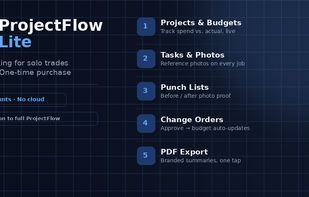
Set up each job with an address, status, start and target-end dates, and a budget. The Overview tab tracks actual cost against budget in real time with a progress bar that turns red the moment you go over — so you know where you stand without doing the math yourself.
Tasks
Break a job into tasks with instructions, a due date, a status (Not Started, In Progress, Blocked, Done), and a reference photo so "done right" isn't a guessing game for whoever picks it up next.
📋 Daily Site Logs
One tap to record the day: weather, who was on site, notes, and a safety checklist — plus photos if you want a visual record. Good habit, good paper trail if you ever need one.
📷 Photo Log
Snap or upload a photo with a caption any time, straight from its own tab — it doesn't need to be attached to a task first. Every photo you add anywhere else in the app (tasks, logs, punch items) also surfaces here automatically, so you've got one place that shows the whole visual history of the job.
🔧 Punch List
Track outstanding items with a status (Open, In Progress, Resolved) and before/after photos, so nothing falls off the list at the end of a job.
📝 Change Orders
Log a change order as Proposed, then approve it with one tap — and the cost delta gets added straight to the project's actual cost automatically. No re-entering numbers, no separate spreadsheet to reconcile. Reject one and the budget stays untouched.
Timecards
Log hours per worker per day with an optional note. The tab totals everything so far for the project, so you always know hours logged at a glance.
📄 One-Tap PDF Export
Every project's Overview tab has an Export Summary PDF button — tasks, logs, punch list, change orders, and total hours, laid out cleanly and ready to print, email, or hand to a client, an accountant, or your own records.
📸 Real Camera, Not a Guess
Every photo field opens an actual live camera view with shutter and retake — on phone, tablet, or laptop webcam — not a browser gamble about whether it'll show a camera or a file picker.
Feature List
- Unlimited projects with budget vs. actual tracking
- Task management with reference photos and due dates
- Daily site logs with weather, crew, notes, and a safety checklist
- Standalone photo log plus auto-collected photos from every module
- Punch list with before/after photos
- Change orders that auto-update the project budget on approval
- Timecards with running hour totals
- One-tap branded PDF export per project
- Live camera capture (not just a file picker)
- 100% offline — works with zero signal
- No accounts, no cloud, no subscription
- One-time purchase








 WiesnerEnterprisesNZ added ProjectFlow Lite as alternative to Microsoft Project, RDI-Manager and Crows Nest


 Wiesner Enterprises NZ


