PureText icon
PureText icon

PureText

PureText is a tiny (13Kb) application for Windows that allows you to paste text to any application without formatting, using a hotkey (default Win + V).
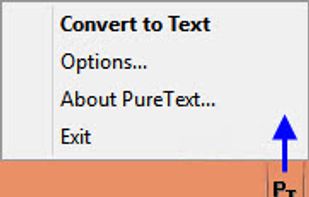
Notification Area Icon
(Right-Click for Menu, Options)

Cost / License

  • Free
  • Proprietary

Application type

Platforms

  • Windows
34likes
0articles

Features

  1.  Portable
  2.  No installation

PureText News & Activities

Highlights All activities

Recent activities

Comments and Reviews

   
Top Negative Comment
DavidGP
0

Unfortunately too unreliable to give it more than 2 stars. Almost never works in diverse programs, e.g. Outlook 2016, PDF-XChange Editor and others

horacelaalu

You can use "Convert to Text" and then paste manually with Ctrl-V. However, it doesn't convert PDFs etc., it only removes HTML and RTF formatting like bold, italic, colors, font face, etc.

Guest
0

It just works fine. WIN+V is the default Hotkey for PureText. Works fine with Win10

Review from a new or low-activity account — shown here, but not counted in the app rating.
Norman
0

Simplicity in action.

What is PureText?

PureText is a tiny (13Kb) application for Windows that allows you to paste text to any application without formatting, using a hotkey (default Win + V).

The tool is especially useful for copying text from web pages and is very simple to use. Just copy text from a web page as usual and paste it using the shortcut key (Win + V).

PureText is a free, portable application, so no installation is needed. The tool removes rich formatting from text such font face, font style, font color, paragraph, margins, character spacing, bullets, subscript, superscript, tables, charts, pictures, embedded objects, etc. However, it does not modify the actual text. Hence: "pure text."

PureText is basically equivalent to opening Notepad, doing a paste, followed by a select all, and then a copy. It works on Windows NT up to 10, depending on the version you use.

PureText information

AlternativeTo Category

Office & Productivity

Our users have written 3 comments and reviews about PureText, and it has gotten 34 likes

PureText was added to AlternativeTo by Aerialsky on and this page was last updated .
