


Peek Screen Recorder
3 likes
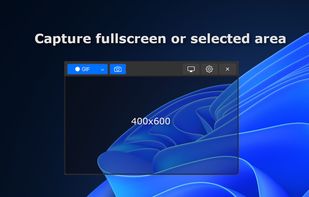
Peek is a simple screen recorder that allows you to record your screen as gif or mp4, capture a screenshot as jpg, and annotate your recordings with drawing, text, arrows, and highlights.

Cost / License
- Free
- Open Source (GPL-3.0)
Application typeApplication types
Platforms
- Mac
- Windows
- Linux


Features
Peek Screen Recorder News & Activities
Highlights All activities
Recent activities
 POX removed Peek Screen Recorder as alternative to Gyazo
- nazarzajya added Animated GIF Creator as a feature to Peek Screen Recorder
- nazarzajya added Ad-free as a feature to Peek Screen Recorder
- nazarzajya added Support for 4K as a feature to Peek Screen Recorder
- nazarzajya added Lightweight as a feature to Peek Screen Recorder
- nazarzajya added Dark Mode as a feature to Peek Screen Recorder
- nazarzajya added No registration required as a feature to Peek Screen Recorder
- nazarzajya added Works Offline as a feature to Peek Screen Recorder
- nazarzajya liked Peek Screen Recorder

Peek Screen Recorder information
Developed by
Firat KiralLicensing
Open Source (GPL-3.0) and Free product.Written in
Alternatives
14 alternatives listedBadge
Get an embeddable badge for Peek Screen RecorderSupported Languages

AlternativeTo Categories
Photos & Graphics, Video & MoviesGitHub repository
- 278 Stars
- 19 Forks
- 16 Open Issues
- Updated



Comments and Reviews
Does not capture scrolling captures.
Easy to use, all in one, screenshot, screen recording and annotation