


Rapid Environment Editor
64 likes
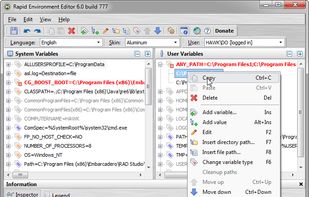
Rapid Environment Editor (RapidEE) is an environment variables editor. It includes an easy to use GUI and replaces the small and inconvenient Windows edit box.

Cost / License
- Free
- Proprietary
Application type
Platforms
- Windows

Features
Rapid Environment Editor News & Activities
Highlights All activities
Recent News
No news, maybe you know any news worth sharing?
Share a News TipRecent activities
 tanao added Rapid Environment Editor as alternative to Envarly
- POX added No registration required as a feature to Rapid Environment Editor
- POX added Works Offline as a feature to Rapid Environment Editor
- POX added Ad-free as a feature to Rapid Environment Editor
 POX added Rapid Environment Editor as alternative to Windows Path Editor


Featured in Lists

Master List of all Apps and Software I use for both work and personal life.
List by Jimmy Briggs with 416 apps, updated

A list with 33 apps by AntumDeluge without a description.
List by AntumDeluge with 33 apps, updated

A list with 20 apps by tobse without a description.
List by Tobse with 20 apps, updated
What is Rapid Environment Editor?
Rapid Environment Editor information
Developed by
 Oleg Danilov
 Licensing
Proprietary and Free product.Rating
Average rating of 4.6Alternatives
8 alternatives listedBadge
Get an embeddable badge for Rapid Environment EditorSupported Languages

Comments and Reviews
Rapid Environment Editor is a great tool for being able to get to the Windows environment and add, change, delete or update environment variables, both the system and user settings. The place that I have found it of most use is when I run a lot of developer apps on a Windows computer, e.g. SQL Server & IIS. If you don't have a lot of compact directory paths, and use the default path names, you can run out of room for the path, and the applications don't work or function well. REE allows you to check the path for errors and fix them. If you put a wrong path in, it lets you know. It has context items to shorten (all 8.3 short-names) or return a shortened path to full extensions. Also variable expansion and cleanup of paths are also supported. I've also found REE useful in fixing QuickTime paths and variables issues. Variables are flagged as read-only or updateable and the program allows either strings or expandable strings as data types.
This app is one of the first I put on any windows box.
The path validation feature is a lifesaver
While the standard Windows Environment variable editor is a great example of a very bad UX (OK, finally, in the year 2017 Windows 10 has improved it a bit), Rapid Environment Editor has very good UX and even though it can manage any environment variable, both system and user, it excels in editing of path-type variables, which it displays separated, one path per line, allows adding of a new path value using standard Browse for Folder/Open file dialogs, checks and highlights invalid paths and more.
I'm always amazed with how the default Windows Environmental Variables Editor looks like. By that I mean that it looks like bad application from early '90s. And here Rapid Environment Editor is an awesome alternative. It is one of the tools I always choose to install first right after getting fresh Windows installation. It is super user-friendly and very useful - especially for programmers like me but also all other people that like to have things automated on thieir PC (i.e. using different kind of scripts, SDKs, etc.). After I've shown it to my colleagues everybody liked it very much as well.
Thanks to the author for making his effort to create that one! Great job!