





Rectoly for Mendeley
Like
An iPad and iPhone reader for your Mendeley library, with Apple Pencil annotation that syncs back to Mendeley.
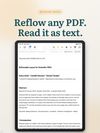

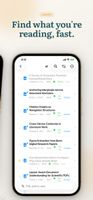

+13
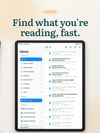

Cost / License
- Pay once
- Proprietary
Application type
Platforms
- iPhone
- iPad

Features
Rectoly for Mendeley News & Activities
Highlights All activities
Recent activities
 Hawk-Eye added Rectoly for Mendeley as alternative to Rectoly for Zotero
- Danilo_Venom updated Rectoly for Mendeley
- Hawk-Eye added Rectoly for Mendeley
 Hawk-Eye added Rectoly for Mendeley as alternative to PaperShip and Mendeley


Rectoly for Mendeley information
Developed by
 Takaki Takemura
 Licensing
Proprietary and Commercial product.Pricing
One time purchase (perpetual license) that costs $50.Alternatives
6 alternatives listedBadge
Get an embeddable badge for Rectoly for MendeleySupported Languages
AlternativeTo Categories
Education & Reference, Office & ProductivityApple AppStore
- Updated
- 0 avg rating


No comments or reviews, maybe you want to be first?
