ReflowPDF: PDF Reader Mode icon

ReflowPDF: PDF Reader Mode

Offline OCR PDF reader that turns scanned pages into adjustable, reflowed text for comfortable reading on iPhone and iPad.
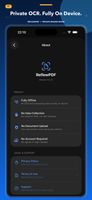
ReflowPDF: PDF Reader Mode screenshot 1
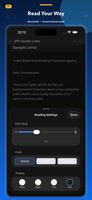
ReflowPDF: PDF Reader Mode screenshot 2
+3
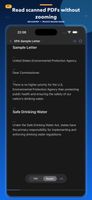
ReflowPDF: PDF Reader Mode screenshot 3

Cost / License

  • Freemium (Pay once)
  • Proprietary

Application type

Platforms

  • iPhone
  • iPad
1like
0articles

Features

  1.  Ad-free
  2.  Works Offline
  3.  Dark Mode
  4.  OCR
  5.  Full-Text Search
  6.  No registration required
  7.  No Tracking
  8.  PDF OCR
  9.  Convert PDF to Text
  10.  Reading
  11.  Offline Reading

ReflowPDF: PDF Reader Mode News & Activities

Highlights All activities

Recent activities

ReflowPDF: PDF Reader Mode information

  • Developed by

    ReflowPDF
  • Licensing

    Proprietary and Freemium product.
  • Pricing

    One time purchase (perpetual license) ranging between $4 and $5 + free version with limited functionality.
  • Alternatives

    2 alternatives listed
  • Badge

    Get an embeddable badge for ReflowPDF: PDF Reader Mode
  • Supported Languages

    • English
    • Chinese
    • Japanese
    • Korean

AlternativeTo Categories

News & BooksOffice & ProductivityOS & Utilities

Apple AppStore

  •   Updated 
  •   4.33 avg rating
View in AppStore

Popular alternatives

View all
ReflowPDF: PDF Reader Mode was added to AlternativeTo by Jason-Bourn on and this page was last updated .
No comments or reviews, maybe you want to be first?

Official Links

What is ReflowPDF: PDF Reader Mode?

ReflowPDF is a reader for scanned documents on iPhone and iPad. Instead of zooming and panning around a page image, it recognises the text on the device and lays it out as continuous, adjustable text — font, size, line spacing and reading theme are all yours to set.

The original pages stay one tap away. Any paragraph in Reader Mode links back to the page it came from, so you can check the scan whenever the recognition looks off. Full-text search, bookmarks and reading progress work across both views.

Recognition runs entirely on the device. Documents and recognised text are never uploaded, and the app works with no account, no advertising and no tracking. Recognised text can be exported as TXT, or written back as a searchable PDF that keeps the original page images. On supported devices an on-device summary can be generated.

Interface in English, Japanese, Korean and Chinese. Requires iOS or iPadOS 26. The first three standard documents are processed free; a one-time purchase removes the document limit and unlocks large-document processing and export.

Recognition quality depends on scan quality, language and page layout.