




Rhinoceros
33 likes
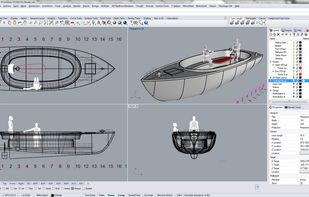
Rhino can create, edit, analyze, document, render, animate, and translate NURBS* curves, surfaces, and solids, point clouds, and polygon meshes. There are no limits on complexity, degree, or size beyond those of your hardware.

Cost / License
- Paid
- Proprietary
Application typeApplication types
Platforms
- Mac
- Windows


Features
Rhinoceros News & Activities
Highlights All activities
Recent News
No news, maybe you know any news worth sharing?
Share a News TipRecent activities
 Denis-Vazyulya added Rhinoceros as alternative to Forma3D
 POX added Rhinoceros as alternative to LuaCAD
 POX added Rhinoceros as alternative to NASSCAD
 ajaomer added Rhinoceros as alternative to EVERYTHING Studios
 Henqo added Rhinoceros as alternative to Henqo
- RemovedUser added Rhinoceros as alternative to BlenderCompat
 jmc-technique added Rhinoceros as alternative to GO2CAM
- domes added Support for Layers as a feature to Rhinoceros
- domes liked Rhinoceros


Rhinoceros information
Developed by
 Robert McNeel & Associates
 Licensing
Proprietary and Commercial product.Alternatives
65 alternatives listedBadge
Get an embeddable badge for RhinocerosSupported Languages


Featured in Lists

List of useful and intuitive apps to improve creative thinking and project management. Some are quite affordable too.
List by qualanque with 7 apps, updated

A list with 6 apps by RemovedUser without a description.
List by RemovedUser with 6 apps, updated
Comments and Reviews
It may not be immediately obvious when comparing all these 3D CAD software programs, but there are two different tribes of 3D CAD software. Rhino is in the surface modeler tribe, along with SolidWorks and others. It generates mathematical surfaces (nurbs) to describe the surface geometry. Once this is described, the program can model 'solids'. Blender and SketchUp are in the mesh modeler tribe, that represent surfaces with flat tiles all joined together. If you inspect, say a cylinder made in SketchUp, it is made of facets, not a single smooth surface. Surface modelers are the only real option for industrial design CAD. Mesh modelers are great for freeform modeling including animation and art that can fudge the accuracy during rendering. For conventional architecture, either will do, but for advanced architectural design a surface modeler has advantages. For advanced architecture, Rhino has the Grasshopper extension, for parametric design. 3D printing accepts either tribe, via, say, STL. Rhino can also model meshes if required, so it can absorb SketchUp and Blender models. It should be noted that Rhino is not a true parametric modeler like SolidWorks. It's main versatility is its ability to precisely handle all kinds of curved surfaces. It's core market is industrial design, but has a big following in architecture and, especially with a plug-in like Orca or in conjunction with Maxsurf, also naval architecture. A lot of people seem to be convinced they need AutoCAD or SolidWorks, which are far, far more expensive, and yet many such people do not seem to do much more than they would in Rhino. Note that setting up a truly parametric model in SolidWorks is no trivial task. On the other hand, a home user or 'maker' ought to be quite happy with something like SketchUp (good for designing your own home or furniture), Blender (great for figurines and monsters) or Fusion 360 (a basic surface? modeler).
Has three months of evaluate period. And works with no save after.