


screencap.me
2 likes
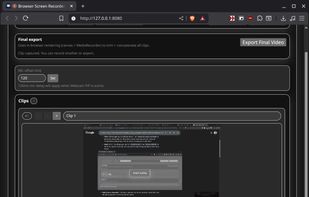
Record your screen, trim the clips and export single video file with result. No nonsense screen capture and recording to make quick videos. Zero dependencies. No build system.

Cost / License
- Free
- Open Source (MIT)
Platforms
- Windows
- Linux
- Online
- Mac

Features
screencap.me News & Activities
Highlights All activities
Recent activities
 DmitryM added screencap.me as alternative to Screen Recorder by WebcamEffects
 MMISCOOL added screencap.me as alternative to Peek GIF Screen Recorder, Simple Screen Recorder and SurFlex Screen Recorder (Win&Mac)
 MMISCOOL added screencap.me as alternative to Any Screen Recorder, VSDC Free Screen Recorder, Amazing Free Screen Recorder and TechSmith Capture
 MMISCOOL added screencap.me as alternative to VokoscreenNG, Omi Screen Recorder, CamStudio and Kooha
- MMISCOOL added Screen Recording as a feature to screencap.me
 MMISCOOL added screencap.me as alternative to Fluent Screen Recorder
- MMISCOOL liked screencap.me
- niksavc liked screencap.me
- MMISCOOL added screencap.me
- POX updated screencap.me


screencap.me information
Developed by
 mmiscool
 Licensing
Open Source (MIT) and Free product.Written in
Alternatives
1 alternatives listedBadge
Get an embeddable badge for screencap.meSupported Languages

AlternativeTo Category
Video & MoviesGitHub repository
- 25 Stars
- 4 Forks
- 1 Open Issues
- Updated


No comments or reviews, maybe you want to be first?