


SetEdit SettingsDatabaseEditor
Like
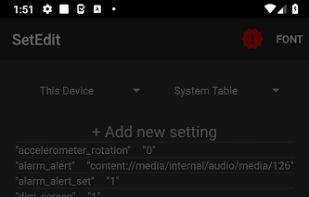
By default, for your protection, Android prevents you from modifying the SECURE and GLOBAL tables. If you have Android Jellybean or later, you can remove this protection from an ADB shell using the command "pm grant by4a.setedit22 android.permission.

Cost / License
- Freemium (Pay once)
- Proprietary
Platforms
- Android
- Android Tablet


Features
SetEdit SettingsDatabaseEditor News & Activities
Highlights All activities
Recent activities
- OrdinaryPerson updated SetEdit SettingsDatabaseEditor
- OrdinaryPerson added SetEdit SettingsDatabaseEditor
 OrdinaryPerson added SetEdit SettingsDatabaseEditor as alternative to SetEdit (by Muntashir Akon) and SetEdit: Settings Editor

SetEdit SettingsDatabaseEditor information
Developed by
 4A
4A Licensing
Proprietary and Freemium product.Pricing
One time purchase (perpetual license) that costs up to $2 + free version with limited functionality.Alternatives
2 alternatives listedBadge
Get an embeddable badge for SetEdit SettingsDatabaseEditorSupported Languages

No comments or reviews, maybe you want to be first?
