





Settle
Like
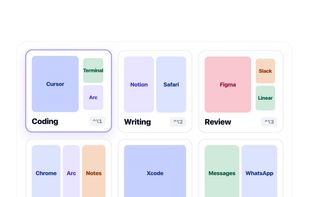
Enables window snapping, remembers and restores multi-app and multi-display layouts, supports workspace profiles, automation for monitor, time, and app rules, local data storage, per app positioning, works offline, and adapts window layouts to display changes.

Cost / License
- Pay once
- Proprietary
Application type
Platforms
- Mac


Features
Settle News & Activities
Highlights All activities
Recent activities
 Haruqun added Settle as alternative to Tiles Window Align
- Danilo_Venom updated Settle
- gokhangokova added Settle
 gokhangokova added Settle as alternative to Magnet, Rectangle, Loop - Window Management and Putback


Settle information
Developed by
 Gökhan Gökova
 Licensing
Proprietary and Commercial product.Pricing
One time purchase (perpetual license) that costs $10.Alternatives
15 alternatives listedBadge
Get an embeddable badge for SettleSupported Languages


No comments or reviews, maybe you want to be first?