

SheetSnap icon
SheetSnap icon

SheetSnap

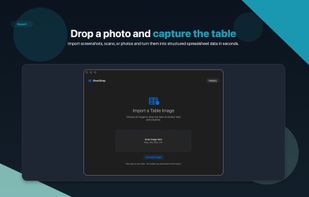
SheetSnap extracts rows and columns from screenshots, scans, and photos of tables on macOS. Copy clean results into spreadsheets or export them as CSV or Excel.
SheetSnap screenshot 1

Cost / License

  • Freemium (Pay once)
  • Proprietary

Platforms

  • Mac
0likes
0comments
0articles

Features

Properties

  1.  Privacy focused
  2.  Lightweight

Features

  1.  No Tracking
  2.  Works Offline
  3.  Dark Mode
  4.  No registration required
  5.  OCR
  6.  Ad-free
  7. Microsoft Excel icon  Export to Excel
  8.  Extract text from image
  9.  Export to CSV

SheetSnap News & Activities

Highlights All activities

Recent activities

SheetSnap information

  • Developed by

    Cass Tao
  • Licensing

    Proprietary and Freemium product.
  • Pricing

    One time purchase (perpetual license) that costs $30 + free version with limited functionality.
  • Alternatives

    19 alternatives listed
  • Supported Languages

    • English
SheetSnap was added to AlternativeTo by Paul on and this page was last updated .
No comments or reviews, maybe you want to be first?

What is SheetSnap?

Table OCR turns table images into clean, editable spreadsheet data on your Mac.

Choose an image file or drop a screenshot, scan, or photo into the app. SheetSnap reads the table structure, extracts rows and columns, and lets you review the result before copying or exporting.

FEATURES

  • Extract tables from screenshots, scans, and photos
  • Review and edit cells before export
  • Copy rows and columns into spreadsheet apps
  • Export data as CSV or Excel (.xlsx)
  • Keep a local history of recent extractions
  • Open JPEG, PNG, TIFF, HEIC, and other common image formats
  • No account, login, or subscription required

COMMON USES

Digitize printed tables, recover spreadsheet data from screenshots, work with scanned documents saved as images, and capture useful table data from websites or apps.

PRIVACY

SheetSnap processes user-selected images locally on your Mac. Your selected images are not uploaded for normal table extraction. The app may download an Apple-hosted model asset after the first image is selected; after that asset is available, extraction runs locally with the available model.

Official Links