Shell Drop icon
Shell Drop icon

Shell Drop

Free SSH terminal for iPhone and iPad, built for running AI coding agents in tmux, with one-tap agent file delivery and image paste, voice input, and Secure Enclave key storage.
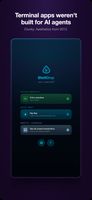
Home screen: active sessions and quick connect
A live coding agent session in tmux
+2
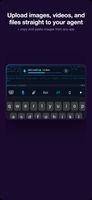
Attach files, photos, or videos from the toolbar

Cost / License

  • Free
  • Proprietary

Application type

Platforms

  • iPhone
  • iPad
1like
0articles

Features

Properties

  1.  Privacy focused

Features

  1.  No Tracking
  2.  No registration required
  3.  Command line interface
  4.  Ad-free

Shell Drop News & Activities

Highlights All activities

Recent activities

Shell Drop information

AlternativeTo Categories

OS & UtilitiesNetwork & Admin

Apple AppStore

  •   Updated 
  •   5 avg rating
View in AppStore

Popular alternatives

View all
Shell Drop was added to AlternativeTo by danielbilsborough on and this page was last updated .
No comments or reviews, maybe you want to be first?

Official Links

What is Shell Drop?

ShellDrop is a native iOS and iPadOS terminal that connects over SSH to any box you can reach: a VPS, a home Mac mini, or a server on a private network. It's built around running AI coding agents (Claude Code, Codex, Grok Build, Hermes, OpenClaw, Opencode) inside tmux and checking on them from a phone.

WORKING WITH AGENTS

  • Paste images straight into a session: copy a screenshot from any app, paste it in the terminal, and the agent reads it.
  • Attach files, photos, or videos from files or the photo library via a toolbar button. Upload size limit is adjustable (100 MB to 1 GB).
  • Tmux aware: vertical swipe scrolls history (actually works), and tab names sync automatically with real tmux session names. Custom tmux key bindings in settings and sticky Ctrl key on keyboard toolbar.
  • Sessions stay alive in the background while switching apps.
  • Agent-to-clipboard: an agent can send text (e.g. an email draft) straight to the device clipboard for pasting elsewhere.

TERMINAL FEATURES

  • SSH key authentication: generate Ed25519 or hardware-backed Secure Enclave keys in-app (private key never leaves the chip), or paste-import existing OpenSSH keys.
  • Editable keyboard toolbar.
  • Text selection mode, long-press word select, tap to open links.
  • Nerd Font support (FiraCode, JetBrains Mono) for tools like nvim/LazyVim.
  • Full iPad support, including 13" iPad Pro and hardware keyboards.
  • iCloud sync for saved connections (can be switched off). Private keys stay on-device.

VOICE INPUT Tap the mic on the keyboard toolbar to dictate prompts. Transcription runs on-device via Apple's speech recognizer by default, or through a user-supplied Groq API key for whisper-large-v3-turbo. Also works with third-party dictation keyboards such as Wispr Flow.

PRICING AND PRIVACY Free, no subscription, no account. Credentials are stored in the iOS keychain on-device; the app collects no telemetry or analytics. Terminal traffic goes only to the SSH servers the user connects to.

Shell Drop Videos