Shortcutie was added to AlternativeTo by Paul on and this page was last updated .
No comments or reviews, maybe you want to be first?
Official Links
Social Networks
What is Shortcutie?
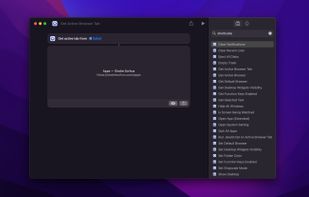
The app provides lots of powerful extra actions for the Shortcuts app on macOS.
While my free Actions app provides useful functionality for the Shortcuts app through the App Store for macOS, iOS and visionOS, Shortcutie is a Mac-only app that offers more powerful system-level features by operating outside of Apple’s restrictions. This enables capabilities like changing system default browser (without a prompt), getting the active browser tab, clearing notifications, etc. — things that wouldn’t be possible under App Store rules.
Restart your device if the actions do not show up in the Shortcuts app. Also try setting a different device language and then back.
Included actions
Get Active Browser Tab: Gets the URL and title of the active browser tab. Supports Safari, Chrome, Edge, Brave, Opera, Vivaldi, Arc, Orion, and any Chromium-based browser. Firefox and Firefox-based browsers (including Zen) are not supported as they do not implement the required AppleScript interface for getting tab info.
Run JavaScript on Active Browser Tab: Runs JavaScript code on the active browser tab and returns JSON Supports the same browsers as “Get Active Browser Tab”.
Get Active Browser: Gets the frontmost app if it’s a browser
Get Selected Text: Gets the currently selected text from anywhere on the system
Clear Notifications: Clears system notifications
Get/Set Default Browser: View or change the system default web browser
Set Grayscale: Mode Makes screen display in black and white
Is Screen Being Watched: Detects if the screen is being recorded, mirrored, or shared (Zoom, Teams, etc)
Open App (Extended): Options to pass in URLs, activate, force new instance, hide, launch arguments, and environment variables
Set Folder Color: Change the color of folders
Hide All Windows: Instantly hides windows for all apps
Quit All Apps: Closes all running apps except menu bar apps
Eject All Disks: Safely unmounts all external drives
Show Desktop: Temporarily moves all windows aside to see desktop
Empty Trash: Permanently deletes items in trash
Get/Set Desktop Widgets Visibility: Show, hide, or check visibility status of desktop widgets
Get/Set Function Keys Mode: Toggle or check if F1-F12 keys operate as standard function keys or media keys
Clear Recent Lists: Clears recent items (files, apps, and servers) from menus
Open System Setting: Opens Hide My Email, Private Relay, or Apple Account Subscriptions settings directly