Skillsync icon
Skillsync icon

Skillsync

Skillsync picks up every Claude Code, Codex, and Cursor session already on your machine, turns what worked into reusable skills, and shares them with every teammate on every agent. Local first, zero setup.
Skillsync screenshot 1

Cost / License

  • Freemium (Subscription)
  • Proprietary

Platforms

  • Mac
  • Windows
  • Linux
Skillsync screenshot 1
Skillsync screenshot 2
+3
Skillsync screenshot 3
Alternatives
1like
0alternatives
0articles

Features

Properties

  1.  Local-First
  2.  AI-Powered

Features

  1.  Command line interface
  2.  End-to-End Encryption
  3.  Apple Silicon support
  4.  Skills Management
  5.  Model Context Protocol (MCP) Support

Skillsync News & Activities

Highlights All activities

Recent activities

Skillsync information

  • Licensing

    Proprietary and Freemium product.
  • Pricing

    Subscription + free version with limited functionality.
  • Alternatives

    0 alternatives listed
  • Badge

    Get an embeddable badge for Skillsync
  • Supported Languages

    • English
Skillsync was added to AlternativeTo by Paul on and this page was last updated .
No comments or reviews, maybe you want to be first?

What is Skillsync?

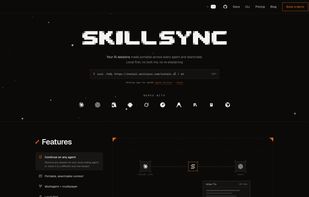
Your AI sessions made portable across every agent and teammate. Local first, no lock-ins, no re-explaining.

Skillsync picks up every Claude Code, Codex, and Cursor session already on your machine, turns what worked into reusable skills, and shares them with every teammate on every agent. Local first, zero setup.

Features:

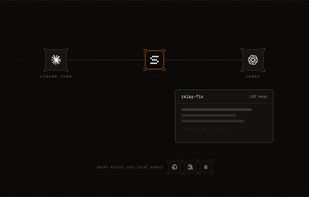
  • Continue on any agent: Resume any session on your local coding agent, or move it to a different one mid-stream.
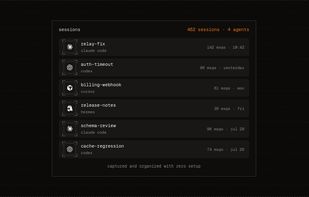
  • Portable, searchable context: Every local session from every agent, captured with zero setup. Search across all of it, take any of it anywhere.
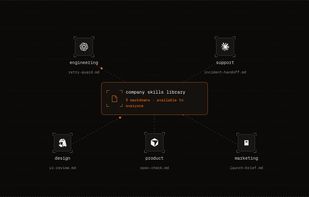
  • Multiagent + multiplayer: Shared workspaces put your team's sessions, skills, and memory on every agent each member uses.
  • Local first: Nothing leaves your machine until you share it, with end-to-end encryption when you do.
  • CLI + MCP: One CLI to install everywhere, and an MCP server so your agents read and reuse skills themselves.