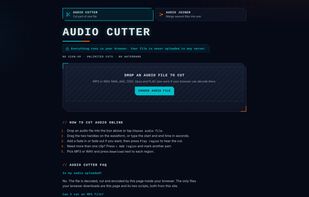
SnipAudio is a free web app for cutting and joining audio files. All decoding, editing and encoding happen inside the web browser, so audio files are never uploaded to a server, and no account is needed.
Audio cutter: the app draws the waveform of the loaded file. You set the start and end of a clip by dragging two handles or by typing the times with millisecond precision. An optional fade in and fade out is shown on the waveform. You can mark several regions in the same file and download each region as its own file, and you can play a region before exporting it.
Audio joiner: add two or more audio files and put them in order by dragging them or with arrow buttons. Each clip has its own fade in and fade out, and neighbouring clips can overlap with a crossfade. The merged track can be previewed before you download it.
Formats: MP3 and WAV files can be opened; M4A, AAC, OGG, Opus and FLAC also work when the browser can decode them. Exports are MP3 at 128, 192, 256 or 320 kbps, or 16-bit PCM WAV, written at 44.1 kHz. WAV keeps exactly the selected samples, while MP3 files begin with a short encoder delay.
Limits: the cutter works on one file at a time and there is no batch processing. The decoded audio is kept in memory, so the longest file you can edit depends on your device.
The source code is available under the MIT license.