Solaar AlternativesMouse Gestures Tools & Mouse Remapping Apps like Solaar

Solaar is described as 'Linux device manager for Logitech's Unifying, Lightspeed, and Nano receiver peripherals. It is able to pair/unpair devices with the receiver and for most devices show battery status. Solaar can also control some of the changeable features of the devices, such as' and is a Mouse Gestures tool in the os & utilities category. There are six alternatives to Solaar for a variety of platforms, including Mac, Windows, Linux, Chrome OS and Flatpak apps. The best Solaar alternative is OpenLogi, which is both free and Open Source. Other great apps like Solaar are Piper, Logitech Options, LGS Tray Battery and Logitech Unifying Software.

Copy a direct link to this comment to your clipboard
Solaar alternatives page was last updated

Alternatives list

  1. OpenLogi icon
     2 likes

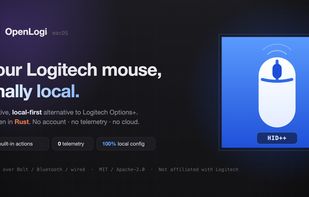
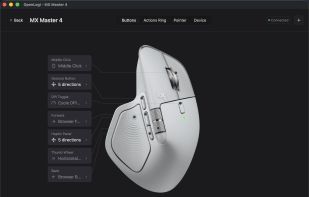
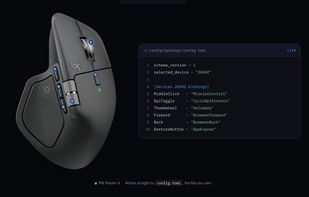
    Open-source, local-first solution for advanced remapping, DPI, and SmartShift control on HID++-compatible Logitech devices, with per-app profiles, privacy-first design, no account requirement, no telemetry, no internet needed, and TOML-based configuration.

    4 OpenLogi alternatives

    Cost / License

    Platforms

    • Mac
    • Homebrew
     
  2. Piper icon
     9 likes

    Piper is a graphical user interface to configure gaming mice. Configuration options include changing the resolution (DPI) of the mouse, adding and removing profiles, setting LED colors and changing button behaviors.

    29 Piper alternatives

    Cost / License

    Platforms

    • Linux
    • Flatpak
     
  3. Customisation of Logitech mouse or keyboard settings, device information, additional functionality such as sharing input devices over multiple computers.

    16 Logitech Options alternatives

    Cost / License

    • Free
    • Proprietary

    Platforms

    • Mac
    • Windows
     
  4. A Windows tray app used to track battery levels of wireless Logitech devices.

    Cost / License

    Platforms

    • Windows
     
  5. Add devices to your Unifying receiver.

    This software will allow you to add or remove compatible mice, keyboards and other devices to your unifying receiver.

    The tiny receiver stays plugged in.

    Cost / License

    • Free
    • Proprietary

    Platforms

    • Mac
    • Windows
    • Chrome OS
     
  6. ltunify icon
     Like

    Logitech’s Unifying technology is awesome. Plug the USB receiver in the computer, power on your keyboard or mouse and it is ready for use! Well, the devices themselves do work, but software to attach new devices to a single receiver (or detach bound devices) is only available...

    Cost / License

    • Free
    • Open Source

    Platforms

    • Linux
     
6 of 6 Solaar alternatives