





SoundPipe
Like
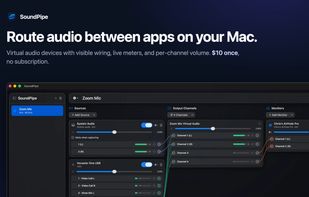
Route audio between apps on your Mac. SoundPipe creates virtual audio devices to send sound from any app, mic, or input to any other app, with visible wiring, live meters, and per-channel volume. $10 once.

Cost / License
- Pay once
- Proprietary
Application type
Platforms
- Mac


Features
SoundPipe News & Activities
Highlights All activities
Recent activities
- soundpipe added Audio Router as a feature to SoundPipe
- soundpipe added SoundPipe
 soundpipe added SoundPipe as alternative to Loopback, BlackHole Audio Loopback Driver, Soundflower and VB-Audio Virtual Cable


SoundPipe information
Developed by
 SoundPipe
 Licensing
Proprietary and Commercial product.Pricing
One time purchase (perpetual license) that costs $10.Alternatives
7 alternatives listedBadge
Get an embeddable badge for SoundPipeSupported Languages


No comments or reviews, maybe you want to be first?