


SoundSwitch
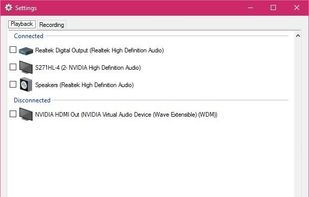
SoundSwitch makes it easier to switch playback devices (sound cards). With SoundSwitch you configure once between which Playback devices you want to toggle and then you can press Ctrl+Alt+F11 to toggle automatically!.
 EU
EU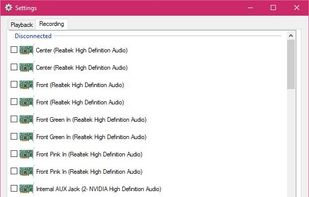

Features
Properties
- Lightweight
Features
- No registration required
- Ad-free
- Works Offline
- Support for Hotkeys
Tags
- Volume Manager
- audio-manager
- Device Manager
SoundSwitch News & Activities
Recent activities
- Kargah liked SoundSwitch
- BorisF added Works Offline as a feature to SoundSwitch
- BorisF rated SoundSwitch
- BorisF liked SoundSwitch
SoundSwitch information
Developed by
 Antoine Aflalo
 Licensing
Open Source (GPL-2.0) and Free product.Written in
Alternatives
3 alternatives listedSupported Languages
- English
AlternativeTo Categories
Audio & Music, OS & UtilitiesGitHub repository
- 3,077 Stars
- 198 Forks
- 97 Open Issues
- Updated


Featured in Lists
This is the apps for Windows 11 that I would recommend to anyone who just got a PC ! The same list for

I use these software on my Windows 10 Systems

My collection of basic software for Windows with a free license, which is suitable for solving various everyday tasks.
What is SoundSwitch?
SoundSwitch makes it easier to switch playback devices (sound cards).
Normally, to switch a Playback device you need to right click the sound icon in the bottom right corner of your screen (system tray), choose "Playback devices" and then change the default playback device. Every time you want to switch.
With SoundSwitch you just configure once between which Playback devices you want to toggle and then you can press Ctrl+Alt+F11 to toggle automatically! (Or a different key combination if you want)
Comments and Reviews
SoundSwitch is simple but efficient. You can easily switch between two audio output cards by clicking on the system tray icon, or by defining an hotkey. I previously used Audio switcher, but it had problems when it was not launched with administrator privileges. SoundSwitch just works flawlessly.