




Volume2
101 likes
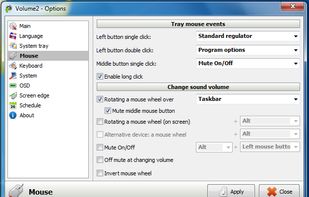
Volume2 is an advanced Windows audio mixer, a complete replacement for the standard Volume Control. This application lets you easily change the sound volume just by rotating the mouse wheel or by using keyboard hot keys or just mouse move on screen border.

Cost / License
- Free
- Proprietary
Application type
Platforms
- Windows

Features
Volume2 News & Activities
Highlights All activities
Recent News
No news, maybe you know any news worth sharing?
Share a News TipRecent activities
- alternativetouser7 liked Volume2
 OrdinaryPerson added Volume2 as alternative to QontrolPanel
- kamoltuk2001 liked Volume2
 justarandom added Volume2 as alternative to SoundSource
 xammen added Volume2 as alternative to BetterTrumpet


Featured in Lists

only free, mostly open-source
List by aya with 48 apps, updated

A curated list of Windows software that I've discovered (and been using) over the years, organized in categories....
List by city_zen with 66 apps, updated

Applications I use on my work computer(s)
List by TMA_2 with 28 apps, updated
What is Volume2?
Volume2 information
Developed by
 Alexandr Irza
 Licensing
Proprietary and Free product.Rating
Average rating of 3.9Alternatives
33 alternatives listedBadge
Get an embeddable badge for Volume2Supported Languages

Comments and Reviews
Volume² is a good app, but it is not a complete replacement for the Windows volume controls.
This is because Volume² lacks the ability to assign the output of certain applications to a specific sound card, as Windows Sound Mixer can do.
This software caused occasional opening of Start menu in Windows 7 and because of that it was uninstalled from my system. Bye-bye.
You can download new version with fixed this problem http://irzyxa.deviantart.com/art/Volume2-version-1-1-4-BETA-testing-498038518
Got flagged as a trojan by McAffee Antivirus.
Overall good but it is proprietary and I've noticed on every update/install it disables UAC on Windows which is quite concerning
Tried this as alternative to eartrumpet mostly because OSD which last do not have. But it is not alternative at all - bells and whistles rather than thing that let me in two clicks change the volume AND output device for exact running program.
Installed to be able to control volume with mouse wheel. was not let down, program had already a shortcut for it and worked like a charm
There is a lot of customizability to this app! I change the volume using my scroll wheel, different customizable shortcuts for other things as well like brightness. Icon customizability too. It's not perfect, but damn does it do a whole lot. I'm impressed.