StudioZIO Mastering Suite is a free mastering plug-in for macOS from StudioZIO, an independent one-person developer.
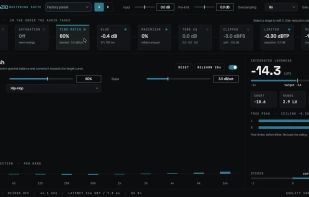
Nine mastering stages sit on a single surface, laid out in the order the audio takes rather than as a rack of interchangeable modules: a mid/side engine, saturation, Pink Match, a VCA glue compressor, a maximizer, a three-band tone EQ, a clipper, a lookahead true-peak limiter, and an output stage handling dither, word length and delivered true peak. One stage is open at a time, and the signal-path rail makes the position of each stage explicit.
The meter column stays visible whichever stage is open, showing integrated and short-term loudness, loudness range, crest factor, true peak per channel, and stereo correlation. The design principle is that processing and measurement belong on the same surface, so that the moment you make a change and the moment you find out what it did are not separated by a window switch.
Two details set it apart from most free mastering tools. Oversampling is configured per stage rather than globally — saturation runs at 4x with antiderivative anti-aliasing, soft clipping at a fixed 16x, hard clipping on a fixed 8x path with polyBLAMP transition correction, and true-peak detection at 16x with 512 taps per phase — and the status bar reports the ratio that is actually running rather than the one that was requested. Beside the limiter ceiling there is an EXPECTED TP readout showing the true peak the render will really deliver, so a -1.00 dBTP ceiling honestly reports as approximately -1.01 dBTP.
Formats: Audio Unit (AU), VST3 and Standalone. Universal binary supporting both Apple Silicon and Intel Macs, macOS 11 or newer. Reported latency is the sum of the stages actually engaged.
The plug-in is permanently free — not a trial, not time-limited, not feature-limited, and not a reduced version of a paid tier. It installs from a Developer ID signed and Apple notarized package with no user account, no iLok, and no email registration.
Limitations, stated plainly: this is a macOS-only product. No build exists for any other operating system and none is planned. An AAX build exists and passes Avid's validator but is not yet code-signed, so it does not load in a standard Pro Tools installation.




 StudioZIO added StudioZIO Mastering Suite as alternative to iZotope Ozone, Matchering, TDR Kotelnikov and Lurssen Mastering Console
 StudioZIO
