SuperClipboard turns the built-in Windows clipboard history into a fast, elegant panel that remembers everything you copy and makes it effortless to find and reuse — text, images, links, file paths, colors, and more.
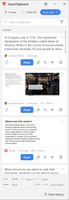
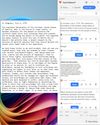
Press your shortcut, and a clean side panel appears with your full history. Pin the things you reach for every day so they're always one click away. Type to search. Press and hold any item to peek at it full-size. Then paste it straight into whatever app you're working in — as-is or as plain text.
SuperClipboard also understands what you copy. It recognizes links, email addresses, file paths, map locations, colors, and tables, and offers the right one-click action for each: open the link, start an email, reveal the file, format the JSON. It even remembers which app — and which web page — each item came from, so you can jump right back to the source.
Copied a screenshot? Pull the text straight out of it. On a Copilot+ PC, recognition is accelerated by the on-device AI (NPU) for faster, more accurate results — and it still works on any PC using the built-in Windows engine. Copied something sensitive like a password or API key? SuperClipboard blurs it automatically until you choose to reveal it.
Pin items to keep them permanently — pinned entries survive clearing your history
Instant search across your entire clipboard history
Preview the highlighted item automatically as you hover or arrow through it — plus press-and-hold for a full-size peek.
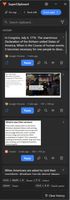
See the source app — and the web page — each item was copied from, and jump back to it
One-click smart actions: open links, start emails, reveal file paths, show addresses on a map, call numbers, format JSON, convert colors
Extract text from copied images and screenshots (OCR), then paste or copy it — accelerated by the on-device NPU on Copilot+ PCs, with a built-in engine on every other PC
Automatic privacy masking for passwords, API keys, tokens, and card numbers
Tables, colors, and code are detected and shown at a glance
Drag and drop any item straight into another app
Quick-paste your most recent items with Ctrl+1–9
Dock the panel to the left or right edge — or auto-hide it to a slim tab that slides back into view when your cursor reaches the edge — or keep it floating on top.
Light, dark, and system themes
Global show/hide shortcut (default Ctrl+Shift+V), plus a system-tray icon
Works entirely on your device — nothing is uploaded
Everything stays on your device. Your clipboard contents are never uploaded, text recognition runs entirely offline, and anything you pin is encrypted on disk and tied t
Prefer to keep your hands on the keyboard? A separate shortcut pops a compact list right at your text cursor.
Everything stays on your device. Your clipboard contents are never uploaded, and text recognition runs entirely offline.






 DirtJeans added SuperClipboard as alternative to Ditto, Rememory, PasteBar and Maccy
 Ken Spencer Brown

