Superpaper Alternatives

Superpaper is described as 'Advanced multi monitor wallpaper manager for Linux, Windows and Mac OS X operating systems' and is an app in the photos & graphics category. There are six alternatives to Superpaper for Windows, Linux and Xfce. The best Superpaper alternative is DisplayFusion, which is free. Other great apps like Superpaper are Dual Monitor Tools, Wallpaper Manager, X-tile and Multi-Slides.

Copy a direct link to this comment to your clipboard
Superpaper alternatives page was last updated

Alternatives list

  1. DisplayFusion icon
     174 likes

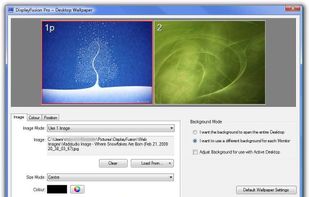
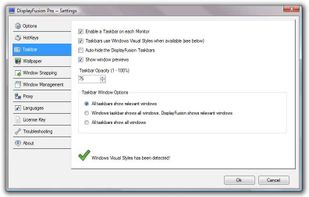
    Enables multi-monitor taskbars with advanced wallpaper management, scripted macros, remote access, screen savers, and desktop profile features; offers window snapping, customizable hotkeys, logon backgrounds, and multi-language support for home or business use.

    56 DisplayFusion alternatives

    Cost / License

    • Freemium
    • Proprietary

    Application type

    Platforms

    • Windows
     
  2. Dual Monitor Tools is a software package for Windows users with dual or multiple monitor setups.

    All the tools are open source and free, and each tool is independent so you only need to install or run what you want.

    22 Dual Monitor Tools alternatives

    Cost / License

    • Free
    • Open Source

    Platforms

    • Windows
     
  3. X-tile icon
     2 likes

    X-tile is an application that allows you to select a number of windows and tile them in different ways. It works on any X desktop like Gnome, KDE, XFCE, LXDE. The main features are: many tiling geometries, undo tiling, invert tiling order, optional system tray docking and menu...

    Cost / License

    • Free
    • Open Source

    Platforms

    • Linux
    • Xfce
     
  4. Native Windows 11 app that runs truly independent image slideshows on each monitor — own folder, own pacing, own transitions per display.

    Cost / License

    • Paid
    • Proprietary

    Platforms

    • Windows
     
  5. Annoyed again because one of your apps is offscreen? Do you have to struggle with keyboard shortcuts, to bring it back or do they not work again? Borderline moves all windows back into the screen bounds.

    Cost / License

    • Free
    • Proprietary

    Application type

    Platforms

    • Windows
     
6 of 6 Superpaper alternatives