Organize your notebooks and work faster. The ultimate power suite for Google NotebookLM.
Is your NotebookLM home page a wall of 50+ unsorted notebooks?
Do you wish you could export your sources, your studio artifacts, or your chat — without copy-pasting everything by hand?
Superpower NotebookLM fixes the missing features. It adds a native Folder system, a Trash Bin, a Prompt Library, full Export support, and much more directly into the interface. Privacy-focused and running entirely on your device.
🚀 TOP FEATURES
📂 Notebook Folders: Group your notebooks on the home page by project, topic, or client. Drag-and-drop to file them.
🗂? Source Folders: Organize sources inside a notebook into nested folders. Drag a source into a folder to file it.
🗑? Trash Bin: Soft-delete notebooks instead of losing them forever — restore with one click.
💾 Universal Export: Export your chat, your sources, or any Studio artifact (mind maps, slides, audio, video, briefings, flashcards, quizzes) as Markdown, PDF, plain text, or other formats. Bulk select and download as a ZIP.
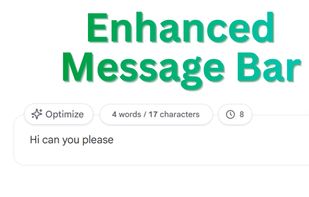
? One-Click Prompt Optimizer: Instantly upgrade prompts using advanced prompt engineering.
📚 Prompt Library: Save, organize, and reuse your best prompts. Reference other prompts with [[Prompt Title]] for reusable building blocks.
🔗 Prompt Chains: Create multi-step prompt workflows that execute in sequence automatically — each step waits for NotebookLM to finish responding before sending the next.
?? Slash Commands: Type // to instantly search and insert saved prompts. Type ,, for chains.
🔍 Source Search: Live filter for the Sources panel — find any source in a notebook with 50+ items.
?? Wide Chat Mode: Toggle a wider chat layout that fills the panel.
🧹 Bulk Source Delete: Select multiple sources in a notebook and remove them in one action, with one click.
?? Notebook Info Panel: See the notebook's creation date, total message count, and attach free-text notes that stay with that notebook.
📊 Word Counter & Message Counter: Real-time word, character, and token estimate above the input field, plus a daily or per-notebook message tally.
?? Quick Navigation: Floating scroll controls to jump to the top or bottom instantly. Double-click to enable autoscroll while NotebookLM generates.
?? Keyboard Shortcuts: Power-user shortcuts for faster navigation, fully rebindable with conflict detection.
?? Modular Control: Toggle every feature on or off to create your perfect interface.
🌚 Theme Support: Fully supports NotebookLM's Dark and Light modes.







 EU
EU


 Sulfurbyte added Superpower for NotebookLM as alternative to Web Clipper for NotebookLM
 Sulfurbyte added Superpower for NotebookLM as alternative to NotebookLM Tools

 Sulfurbyte