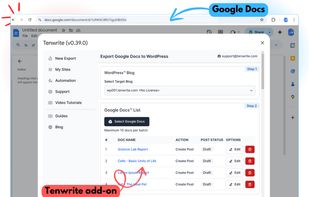
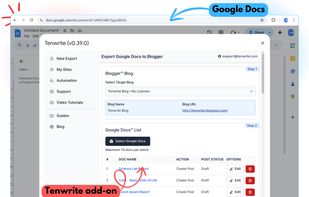
Tenwrite is a Google Docs add-on that allows users to export and publish their content directly from Google Docs to WordPress or Blogger, while maintaining perfect formatting.
? Features:
? Google Docs Integration
Tenwrite add-on is integrated with Google Docs. Export & publish your Google Docs to your WordPress & Blogger sites instantly without leaving Google Docs. No additional tools required.
? WordPress Integration
Tenwrite is integrated with WordPress. Publish Google Docs to your WordPress sites instantly with perfect formatting.
Read how to publish Google Docs to WordPress.
? Blogger (Blogspot) Integration
Tenwrite is integrated with Blogger (Blogspot). Publish Google Docs to your Blogger (Blogspot) sites instantly with perfect formatting.
Read how to publish Google Docs to Blogger.
? Maintain Perfect Formatting
Tenwrite will keep the same formatting, styling, and structure of your Google Docs content on your published posts on WordPress & Blogger (Blogspot).
? Image Support
Tenwrite add-on will transfer the optimize and transfer the Google Docs images to your blog post on WordPress & Blogger.
? Search Engine Optimization
Easily add important data like - post title, description or excerpt, labels, tags & categories to your posts to improve the ranking of your posts on Google & Bing.
? Version History
Use the built-in Google Docs' version history feature to keep track of all the changes to your posts. Never lose your work again.
? Post Categorization
Add Category & Tags in WordPress posts or Labels in Blogger (Blogspot) posts to easily organize your posts.
? Bulk Export
Publish multiple Google Docs to WordPress & Blogger (Blogspot) using the bulk-export feature of Tenwrite.
? Schedule Posts
Add Category & Tags in WordPress posts or Labels in Blogger (Blogspot) posts to easily organize your posts.
? Advanced Options
Use the advanced options to cleanup and format your posts as per your need.
🧩 How to Publish Google Docs to WordPress & Blogger
Use the Tenwrite add-on to publish content in 3 steps.
1?? Step 1: Install the Tenwrite add-on.
2?? Step 2: Launch the add-on and select the Google Docs you want to export.
3?? Step 3: Click on Start-Export button.