VizText icon
VizText icon

VizText

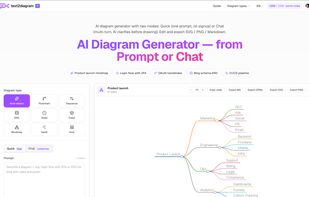
Transforms plain descriptions into editable Mermaid diagrams, mindmaps, and UML models directly in the browser with instant or conversational modes, live code preview, Markdown, OPML, SVG, and PNG exports, clipboard sharing, and multilingual support.
Main

Cost / License

  • Free
  • Proprietary

Application type

Platforms

  • Online
1like
0articles

Features

Properties

  1.  Privacy focused
  2.  AI-Powered

Features

  1.  Dark Mode

VizText News & Activities

Highlights All activities

Recent activities

  • user-6103 rated VizText  
  • user-6103 liked VizText
  • Danilo_Venom updated VizText
  • user-6103 added VizText
  • Mermaid icon
    user-6103 added VizText as alternative to Mermaid and Diagramly + 2 similar activities

VizText information

  • Developed by

    CN flagxilibean
  • Licensing

    Proprietary and Free product.
  • Pricing

    One time purchase and / or subscription.
  • Alternatives

    2 alternatives listed
  • Badge

    Get an embeddable badge for VizText
  • Supported Languages

    • English
    • Chinese

AlternativeTo Category

Development

Popular alternatives

View all
VizText was added to AlternativeTo by user-6103 on and this page was last updated . VizText is sometimes referred to as text2diagram, text2everything.vip
No comments or reviews, maybe you want to be first?

Official Links

What is VizText?

VizText is a browser-based diagram generator that turns a plain-language description into Mermaid code. It has two modes. Quick takes a single prompt and draws immediately, with no account.Chat runs a multi-turn conversation and asks clarifying questions before it draws, which suits diagrams where the structure isn't settled yet; Chat requires a free sign-in.

The generated Mermaid code sits next to a live preview and can be edited by hand — editing the code re-renders the diagram, so the tool works as a plain Mermaid editor as well as a generator. Supported types include flowcharts, sequence diagrams, class diagrams, ER diagrams, state diagrams, Gantt charts, architecture diagrams, UML and mindmaps. It can also generate diagrams from source code or from JSON.

Mindmaps render with Markmap and export to Markdown and OPML in addition to images. All diagrams export to SVG and PNG, or copy directly to the clipboard as an image for pasting into Notion, Slack or slides. Bitmap exports made without an account carry a small footer watermark, which signing in removes. Any diagram can be turned into a share link.

The interface and documentation are available in English and Chinese.
