


TextGlance
1 like
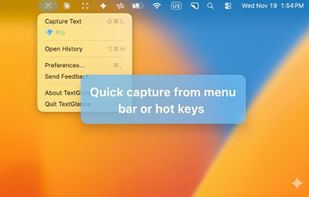
TextGlance makes it effortless to grab text from anywhere on your Mac. See text you can't select in videos, images, or PDFs? Just drag a lasso and get editable text instantly. On-device OCR, no cloud uploads.

Cost / License
- Freemium (Pay once)
- Proprietary
Platforms
- Mac


Features
TextGlance News & Activities
Highlights All activities
Recent activities
 taoo425 added TextGlance as alternative to ZenOCR
 POX added TextGlance as alternative to LudyLens
 JLinX77 added TextGlance as alternative to Hawkr
- bnchndlr liked TextGlance
 POX added TextGlance as alternative to Vizion, GImageReader, NormCap and Capture2text
- POX added TextGlance


TextGlance information
Developed by
 Reckr
Reckr Licensing
Proprietary and Freemium product.Pricing
One time purchase (perpetual license) that costs $3 + free version with limited functionality.Alternatives
36 alternatives listedBadge
Get an embeddable badge for TextGlanceSupported Languages


No comments or reviews, maybe you want to be first?
