




TradeTuning
2 likes
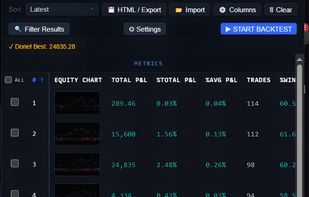
TradeTuning is a TradingView strategy optimizer that automates backtesting, parameter tuning, and deep performance analysis, directly in your browser.

Cost / License
- Freemium (Subscription)
- Proprietary
Application typeApplication types
 EU
EUPlatforms
- Google Chrome


Features
TradeTuning News & Activities
Highlights All activities
Recent activities
- kaylaporrero added Trading Platform as a feature to TradeTuning
- kaylaporrero added Stock Trading as a feature to TradeTuning
 algovex added TradeTuning as alternative to Algovex
- kaylaporrero liked TradeTuning
- wackonews liked TradeTuning
- wackonews added TradeTuning
 wackonews added TradeTuning as alternative to MetaTrader, Investing.com, Protrader and Koyfin


TradeTuning information
Developed by
 CodingDir
 Licensing
Proprietary and Freemium product.Pricing
Subscription that costs $20 per month + free version with limited functionality.Alternatives
52 alternatives listedBadge
Get an embeddable badge for TradeTuningSupported Languages
AlternativeTo Category
Business & Commerce
No comments or reviews, maybe you want to be first?