





Tuck Menu Bar
1 like
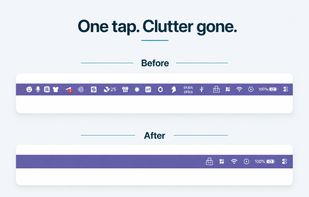
Tuck is a lightweight macOS menu bar manager with one-click icon hiding, zero telemetry, and Shelf Mode for notched MacBooks. Free tier with no time limit; Pro is a one-time purchase (no subscription).

Cost / License
- Freemium (Pay once)
- Proprietary
Application type
Platforms
- Mac


Features
Tuck Menu Bar News & Activities
Highlights All activities
Recent activities
 Gabriel-Faucon added Tuck Menu Bar as alternative to Pelmet
 SnowDrit added Tuck Menu Bar as alternative to Cornice App
- CharlesSnow liked Tuck Menu Bar
- CharlesSnow added Tuck Menu Bar
 CharlesSnow added Tuck Menu Bar as alternative to Bartender, Hidden Bar, Ice Menu Bar and iBar-Menubar


Tuck Menu Bar information
Developed by
 TOTM Tech
 Licensing
Proprietary and Freemium product.Pricing
One time purchase (perpetual license) that costs up to $15 + free version with limited functionality.Alternatives
11 alternatives listedBadge
Get an embeddable badge for Tuck Menu BarSupported Languages

No comments or reviews, maybe you want to be first?