




TweakPower
8 likes
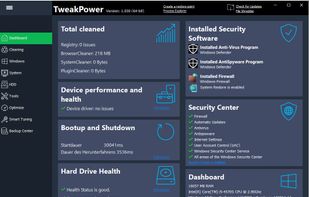
TweakPower is an all-in-one suite that has been designed to keep you and all your family’s computers running at optimal speed and efficiency.

Cost / License
- Free
- Proprietary
Application typeApplication types
 EU
EUPlatforms
- Windows


Features
TweakPower News & Activities
Highlights All activities
Recent News
No news, maybe you know any news worth sharing?
Share a News TipRecent activities
- kramermillay liked TweakPower
- brokesimp69 liked TweakPower
 TheEmperorArt added TweakPower as alternative to Kudu Cleaner
 TheEmperorArt added TweakPower as alternative to Sparkle
 Danilo_Venom added TweakPower as alternative to WindowsMize
 Danilo_Venom added TweakPower as alternative to optimizerDuck
 george-pattern added TweakPower as alternative to WinPurge
 Maoholguin added TweakPower as alternative to RemoveWindowsAI
 TheEmperorArt added TweakPower as alternative to Ashampoo WinOptimizer
- strained173 liked TweakPower


TweakPower information
Developed by
 KurtZimmermann SOFTWARE
 Licensing
Proprietary and Free product.Alternatives
61 alternatives listedBadge
Get an embeddable badge for TweakPowerSupported Languages

Featured in Lists

A list with 328 apps by christineconnor without a description.
List by christineconnor with 328 apps, updated
Comments and Reviews
Bloatware - overkill and some bugs.
TweakPower is (IMO) a toy for those who like gadgets. Trying to be all things for all users. TP is drowning in gadgets, (IMO) dangerous in the hands of an inexperienced user. The automatic cleaning could be fatal, as it includes (for example) pre-filled exemptions for the Registry to protect TP entries. The cleaning settings are optional, but it doesn't take much careless oversite to miss crucial settings
One big problem is that the GUI is taller than desk-top and cannot be resized, inspite of drag-handles (they dont work). I tested TP on a 15 inch and 23 inch monitor setup. The OPTIONS btn and APPLY btns are both at the bottom of GUI and are barely accessible. The OS TaskBar has to be hidden to expose a small portion of of the "Apply" btn. Windows does not allow windows to be moved beyond north of the desktop top. All panels and icon are supersized to the point of rediculous ... maybe OK for vision impaired users.
After more than a day testing (including finding Options & Apply btns) this program is bristling with massive bloat and massive overkill. There are litterally hundreds of settings requiring 2 and 3 step drilling to access.
To risky for my liking.
Tested on Wi-7 PRO 64-bit ... 15" and 23" monitors Some TP features are not available with Win-7
Screen shots of TweakPower on this AlternativeTo.net page are only the top layer of TP. There are literally hundreds of settings attached to the primary GUI. Be very careful how you use this program . . . not for 2am red-eye pilots.