





TypeBreeze
1 like
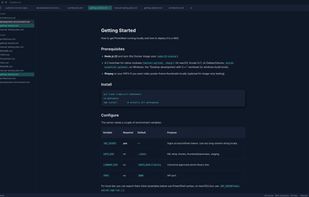
TypeBreeze is a clean, distraction-free Markdown editor with live formatting, a polished writing experience, and support for focused editing without unnecessary clutter.

Cost / License
- Free
- Proprietary
Application type
Platforms
- Windows
- Mac
- Linux


Features
TypeBreeze News & Activities
Highlights All activities
Recent activities
TypeBreeze has almost everything I need and could wish for: themes, Markdown formatting in a WYSIWYG way, saving locally as Markdown file, exporting as HTML or PDF, themes (light, dark, midnight, system), different fonts, font size adjustable, statistics (words, characters, lines), typewriter mode and such.
What I miss is a fullscreen mode/distraction free mode, and being able to choose any of my installed fonts instead of only some system fonts.
- tuva-hayabi liked TypeBreeze
 Shreyam-Adhikari added TypeBreeze as alternative to Quillpane
- mattneri added TypeBreeze
 mattneri added TypeBreeze as alternative to Typora, MarkText, Zettlr and ghostwriter

TypeBreeze information
Developed by
 TypeBreeze
 Licensing
Proprietary and Free product.Alternatives
26 alternatives listedBadge
Get an embeddable badge for TypeBreezeSupported Languages


Comments and Reviews
TypeBreeze has almost everything I need and could wish for: themes, Markdown formatting in a WYSIWYG way, saving locally as Markdown file, exporting as HTML or PDF, themes (light, dark, midnight, system), different fonts, font size adjustable, statistics (words, characters, lines), typewriter mode and such.
What I miss is a fullscreen mode/distraction free mode, and being able to choose any of my installed fonts instead of only some system fonts.