Typing 365 Alternatives

Typing 365 is described as 'Windows typing app that turns touch typing into an exciting challenge, blending learning, racing, and typing tests in a sleek, high-performance package. Compete in fast-paced online typing races, practice offline to master your skills, and track detailed WPM and accuracy stats' and is an app. There are more than 50 alternatives to Typing 365 for a variety of platforms, including Web-based, Windows, Mac, Linux and iPhone apps. The best Typing 365 alternative is Monkeytype, which is both free and Open Source. Other great apps like Typing 365 are Klavaro, keybr, Keypunch and ClickClack.

Copy a direct link to this comment to your clipboard
Alternatives
Get a badge for your siteTyping 365 alternatives page was last updated

Alternatives list

  1. Publisher's Description From Rozland Productions:

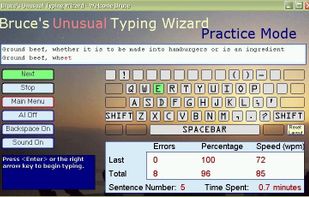
    Bruce's Unusual Typing Wizard is well constructed typing tutor to learn and practice typing. It is designed to accommodate both beginners and experienced typists who are looking to gain speed or accuracy. This software al.

    Cost / License

    • Free
    • Proprietary

    Application type

    Alerts

    • Discontinued

    Platforms

    • Windows
    Good alternative?
     
  2. KeyWe icon
     3 likes

    Spelling games just aren't fast enough. Use an Android keyboard to spell like a spelling bee champ!.

    Cost / License

    • Paid
    • Proprietary

    Application type

    Platforms

    • Android
    Good alternative?
     
  3. TapTyping icon
     2 likes

    Master typing on your iPad, iPhone, or iPod Touch!

    TapTyping will enhance your abilities with lessons for your specific skill level:

    ~ Total beginner? You will become a capable typist after just a few introductory lessons.

    ~ Already a decent typist? Watch your typing speed in.

    Cost / License

    • Paid
    • Proprietary

    Application type

    Platforms

    • iPhone
    Good alternative?
     
  4. KeyBlaze is an easy, fun and effective way to learn how to type or improve your typing skills. It starts with basic lessons on the home keys and neighboring keys, then continues with capitalization, punctuation and numbers.

    Cost / License

    • Free
    • Proprietary

    Application type

    Platforms

    • Mac
    • Windows
    Good alternative?
     
  5. TypingMentor is the fastest way to learn touch typing online. It is a web-based application particularly designed to provide a flexible and easy practice ground to the users to bring about their highest efficacy in typing.

    Cost / License

    • Free
    • Proprietary

    Application type

    Platforms

    • Online
    • Software as a Service (SaaS)
    Good alternative?
     
  6. KeyKey icon
     3 likes

    KeyKey is a powerful typing tutor designed to help you achieve fast, accurate, and error-free touch typing skills.

    Cost / License

    • Paid
    • Proprietary

    Application type

    Platforms

    • Mac
    • Setapp
    Good alternative?
     
  7. Typist icon
     7 likes

    Typist is a typing tutor, which helps you in learning touch typing. If you have never taken any lessons in typing before, please be patient. Typing is not difficult but it does take a lot of practice. Avoid the tendency to look down at your fingers while typing. This is a very b.

    Cost / License

    • Free
    • Proprietary

    Platforms

    • Mac
    Good alternative?
     
  8. 10FastFingers icon
     2 likes

    Test and improve your typing speed.

    Cost / License

    • Free
    • Proprietary

    Platforms

    • Online
    Good alternative?
     
  9. aTypeTrainer4Mac is a multilingual typing tutor for Mac OS X. It is an advanced version of TypeTrainer4Mac. All the system keyboard layouts (but not input methods!) as well as a wide variety of non-system keyboard layouts (i.e.

    Cost / License

    • Free
    • Proprietary

    Platforms

    • Mac
    Good alternative?
     
  10. Keys icon
     2 likes

    A simple and carefully crafted application to help you learn and master typing with ten fingers.

    Typing with all ten fingers without looking at the keyboard, or touch-typing, is important not only to type fast, but also to remove an additional step between your thought process a.

    Cost / License

    • Paid
    • Proprietary

    Platforms

    • Mac
    Good alternative?
     
  11. GGReflex icon
     1 like

    Free browser games that test your reflexes — click speed (CPS), FPS aim trainer, reaction time and more, with global leaderboards.

    Cost / License

    • Free
    • Proprietary

    Platforms

    • Online
    Good alternative?
     
  12. 33 languages. 3 game modes. Detailed statistics. Multiplayer support. Don't waste your time correcting typos. Improve your typing skills now!

    Cost / License

    • Free
    • Open Source

    Alerts

    • Discontinued

    Platforms

    • Online
    Good alternative?
     
You are at page 4 of Typing 365 alternatives