

UnixTime icon
UnixTime icon

UnixTime

The last epoch / unix timestamp converter you'll ever need. Native macOS menu bar app with a conversion history, unlimited custom formats, smart conversion, keyboard-Shortcuts and full clipboard integration.
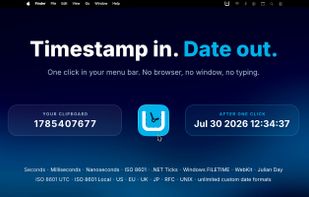
Convert timestamps & dates in many formats with nanoseconds precision

Cost / License

  • Pay once
  • Proprietary

Platforms

  • Mac  Requires macOS 14.6 or later · Apple Silicon & Intel
1like
0articles

Features

UnixTime News & Activities

Highlights All activities

Recent activities

UnixTime information

  • Developed by

    DE flagLabor 77
  • Licensing

    Proprietary and Commercial product.
  • Pricing

    One time purchase (perpetual license) ranging between $1 and $3.
  • Alternatives

    3 alternatives listed
  • Badge

    Get an embeddable badge for UnixTime
  • Supported Languages

    • English
    • German
    • French
    • Spanish
    • Italian
    • Dutch
    • Portuguese
    • Turkish
    • Russian
    • Hindi
    • Chinese
    • Japanese
UnixTime was added to AlternativeTo by Tobias Creter on and this page was last updated .
No comments or reviews, maybe you want to be first?

Official Links

What is UnixTime?

UnixTime is a native macOS menu bar timestamp converter. Convert between epoch times and readable dates with a click or keyboard shortcut. Smart Conversion handles quotes, brackets and field names. Append results to keep original values intact, and preserve precision down to the nanosecond. Hover to preview before you click.

Built for developers, DevOps engineers, sysadmins and forensic analysts working with logs, databases, API responses or telemetry. From Unix seconds to .NET Ticks and FILETIME, conversions stay on your Mac. Fully offline, with no account, tracking or subscription.

Key features:

  • Native macOS menu bar app: built with Swift and SwiftUI, always within reach.
  • Fully offline and private: sandboxed, with no network requests, telemetry or account required.
  • Bidirectional conversion: convert Unix timestamps to readable dates and dates back to timestamps. Automatically detects seconds, milliseconds, microseconds and nanoseconds.
  • Extended timestamp support: .NET Ticks, Windows FILETIME/LDAP, Chrome/WebKit, Mozilla PRTime, Cocoa/NSDate, classic Mac HFS+ and Julian Day Number.
  • Nanosecond precision without rounding: preserves fractional seconds, with up to nine fractional digits in custom date formats.
  • Smart Conversion: recognises copied values surrounded by quotes, brackets, punctuation or field names, including Java long and JavaScript BigInt suffixes. Preserves surrounding syntax and whitespace when replacing a value.
  • Convert & Append: keep the original value and add the conversion after it, using parentheses, brackets, comment markers or custom separators.
  • Four customisable global shortcuts: convert the clipboard, replace selected text, append a conversion or insert the current timestamp.
  • Safe replacement: if no timestamp or date is recognised, conversion shortcuts leave your text and clipboard untouched.
  • Flexible date formats: ISO 8601, RFC 2822, European, US, British and Japanese formats, plus unlimited named custom formats using Unicode date patterns.
  • Dates before 1970: convert negative timestamps in both directions.
  • Preview before you click: hover over the menu bar icon to see the detected value and what a click will copy.
  • Your formats, your order: show, hide and reorder formats with drag and drop, and choose your default output.
  • Built-in date calculator and generator: add or subtract time, switch time zones, and generate random dates for test data.
  • Conversion history: keep up to 50 entries, including the source app when available, and copy previous results with one click.
  • Pinned floating window: keep UnixTime visible above other apps while you work.
  • 12 languages with instant switching: change the interface language without restarting.
  • Light and dark appearance: plus optional launch at login.
  • One-time purchase: no subscription, ads or upsells.

